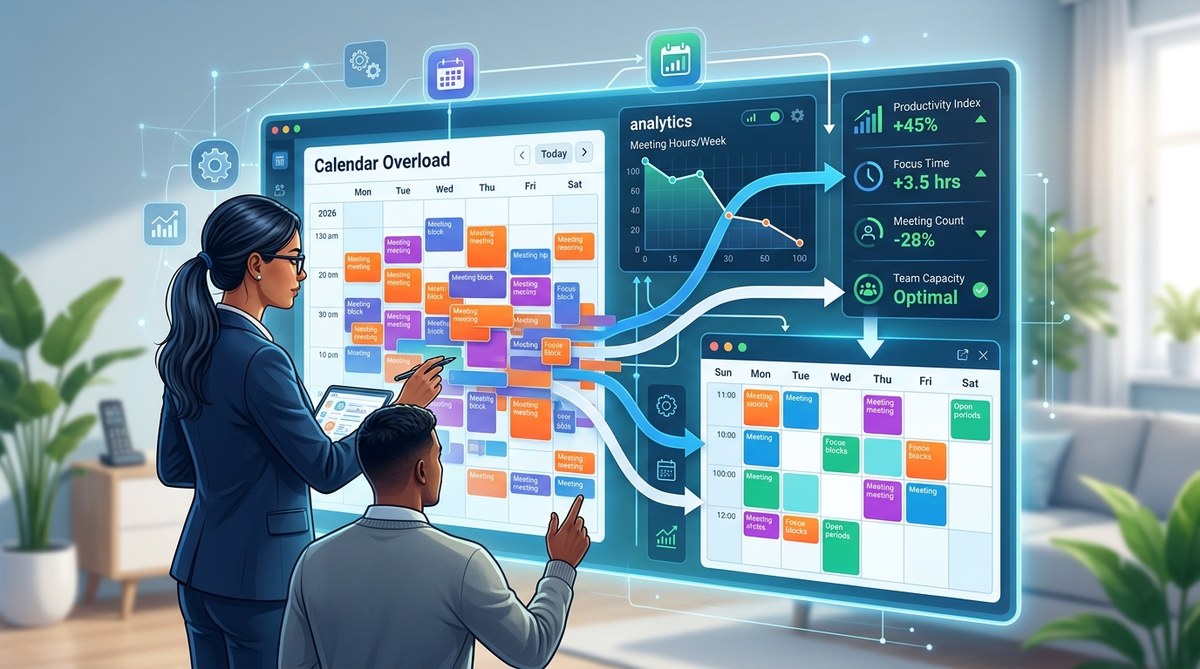
You are staring at another week of back-to-back video calls. Your calendar looks like a patchwork of 30-minute slots, with zero room for actual work. You are not alone. The average manager spends nearly 23 hours per week in meetings, and most of them admit at least a third of those sessions could have been an email or a quick async update. The frustration is real, and it costs your team focus, momentum, and morale. But there is a way out. Meeting analytics can give you the hard data you need to stop guessing and start cutting.
Meeting analytics tools reveal exactly how your team spends time in gatherings, who talks most, and which recurring events drive no decisions. By analyzing attendance rates, duration patterns, and topic relevance, you can cancel low-value meetings, shorten bloated ones, and protect deep work hours. The result is a leaner calendar and a happier, more productive team.
Why Your Calendar Feels Like a Trap
Most teams schedule meetings by habit, not by necessity. The Monday morning standup, the Wednesday status check, the Friday wrap-up. These rhythms feel safe, but they often outlive their usefulness. When a meeting becomes a default, it robs your team of uninterrupted time for complex tasks.
The real problem is that you cannot fix what you do not measure. You might suspect that the weekly all-hands is too long, but you lack proof. You might feel that the project sync is redundant, but you cannot point to a specific reason to cancel it. Meeting analytics changes that. It gives you a mirror. You see the exact cost of every gathering in terms of hours spent, people involved, and outcomes achieved.
What Meeting Analytics Actually Tracks
Before you can slash calendar overload, you need to understand the metrics that matter. Modern analytics platforms integrate with your calendar and video tools to pull data on several key dimensions.
- Attendance rates: Who shows up consistently? Who skips? A meeting with 60 percent attendance might not be essential for everyone.
- Duration and punctuality: Does the meeting always run over? Do people join late? Late starts often signal low urgency.
- Participation balance: Are three people dominating the conversation while the rest stay muted? That is a red flag for engagement.
- Decision velocity: How many meetings actually end with a clear next step or a decision? If the answer is “rarely,” the meeting format is broken.
- Recurrence patterns: Which recurring meetings have the lowest ROI? Look for the ones where agendas are empty or copied from last week.
How to Use Meeting Analytics to Cut Calendar Bloat
You now have the data. Here is a numbered process to turn that data into action.
-
Audit your current meeting landscape. Export your team’s calendar data for the last 30 days. Look for patterns. How many hours per week does your team spend in meetings? Which days are the worst? You might discover that Tuesday and Thursday afternoons are black holes of productivity.
-
Identify the bottom 20 percent of meetings. Rank every recurring meeting by its value score. Use a simple rubric: Does it have a clear agenda? Does it end with action items? Do attendees report it as useful? Cancel or merge the lowest scoring events.
-
Set a maximum meeting duration policy. Use your analytics to see how long meetings actually take versus how long they are scheduled. If a 60-minute meeting consistently finishes in 40 minutes, change the default to 30 minutes. Shorter meetings force focus.
-
Introduce a meeting cost calculator. Share the dollar cost of each meeting with your team. When people see that a one-hour all-hands with 20 people costs $1,500 in salary time, they start thinking twice about adding agenda items.
-
Create a “no meeting” block. Use your data to find the most productive hours for your team. Protect those hours by banning meetings. For example, if analytics show that your engineers code best between 9 AM and noon, make that a meeting-free zone.
Common Mistakes When Using Meeting Analytics
Even with the best intentions, teams often trip up. Here is a table of common mistakes and how to avoid them.
| Mistake | Why It Hurts | The Fix |
|---|---|---|
| Only looking at total hours | Ignores the quality and necessity of each meeting | Combine duration data with attendee feedback and decision outcomes |
| Canceling meetings without context | A meeting might have low attendance but high value for the few who attend | Interview regular attendees before cutting |
| Ignoring async alternatives | Some updates can be covered in a shared document or a recorded video | Use analytics to identify status-only meetings and replace them with async updates |
| Forcing a one-size-fits-all policy | Different teams have different rhythms | Let each team set its own meeting boundaries based on their data |
| Not revisiting the data regularly | Habits creep back within weeks | Schedule a monthly analytics review to keep calendars lean |
The Human Side of Calendar Overload
Data alone will not fix your team’s exhaustion. You also need to address the emotional toll of constant meetings. When people feel they have no time to think, they burn out. They start resenting the calendar. They lose the spark that makes them great at their jobs.
“The most expensive meeting is the one that prevents your best people from doing their best work.” – Jason Fried, Basecamp
This quote hits the core issue. Meeting analytics is not about being ruthless. It is about being respectful of your team’s time. When you use data to cut meetings, you send a clear message: I value your focus. I want you to do meaningful work, not just sit in a virtual room.
A Practical Example From a Real Team
Imagine a product team of 12 people. Their analytics reveal that the weekly product review takes 90 minutes, but only the product manager and the lead engineer speak for the first 60 minutes. The other ten people are silent. The decision rate is low because most items are “for information only.”
The fix is simple. Turn the review into a written document. Everyone reads it async and adds comments. Then hold a 30-minute meeting only for items that need debate. The team reclaims 60 minutes per week. Over a year, that is 52 hours of collective focus time returned. That is real productivity.
How to Choose a Meeting Analytics Tool
Not all analytics tools are equal. Some focus on calendar data, others on video call metadata. Here is what to look for.
- Integration with your existing stack. It should work with Google Calendar, Outlook, Zoom, and Teams without extra setup.
- Privacy controls. You want aggregate data, not individual surveillance. Avoid tools that track who speaks the most without consent.
- Actionable dashboards. The tool should highlight problems, not just show raw numbers. Look for features like “meeting cost” and “attendance trends.”
- Customizable alerts. Get notified when a meeting runs over or when attendance drops below a threshold.
For a deeper look at how to structure your meetings better, check out our guide on why your remote meetings feel exhausting. It covers the psychology behind meeting fatigue and practical fixes that complement your analytics approach.
Building a Culture of Meeting Discipline
Analytics gives you the numbers, but culture makes the change stick. You need to normalize saying no to meetings. Here are a few ways to build that culture.
- Lead by example. Cancel your own low-value meetings first. Your team will follow.
- Celebrate cancellations. When someone cancels a meeting that no longer serves the team, thank them publicly.
- Make attendance optional for informational meetings. If a meeting has no decision to make, let people skip it and read the notes later.
- Use async communication for status updates. Tools like Loom or written updates in Slack can replace many standups. Learn more about async standups to see how they work in practice.
When to Keep a Meeting Despite the Data
Sometimes the data says cut, but your gut says keep. Trust your gut in these cases.
- Team bonding. A weekly check-in might have low decision output but high value for connection, especially in remote teams.
- Onboarding new members. New hires need more synchronous time to learn the culture and ask questions.
- Brainstorming and creative work. These sessions are messy by nature. They do not always produce immediate decisions, but they spark ideas that pay off later.
The goal is not to eliminate all meetings. It is to eliminate the ones that waste time. Use analytics to find the balance.
Putting It All Together
You now have the data, the process, and the mindset. The next step is action. Start small. Pick one recurring meeting this week. Look at its analytics. Ask yourself: Does this meeting produce a decision? Does it need to be an hour? Could it be async? Then make one change. Shorten it, cancel it, or shift it to a written update.
Over the next month, repeat this for every recurring meeting on your calendar. You will be surprised at how much space opens up. Your team will thank you. And you will finally have time to do the work that matters.
For teams that also need to coordinate in-person gatherings, our guide on choosing the perfect coworking space can help you plan productive offsites that respect everyone’s time. And if you are curious about the tech stack that supports lean meetings, check out the remote meeting tech stack for tools that reduce friction.
Your Calendar Is a Tool, Not a Prison
Meetings are not the enemy. Bad meetings are. With meeting analytics, you have the power to separate the essential from the wasteful. You can protect your team’s focus, reduce burnout, and create space for deep work. The data is there. All you have to do is look at it honestly and act.
Start this week. Pull your analytics. Find one meeting to fix. And watch your team’s energy return.
