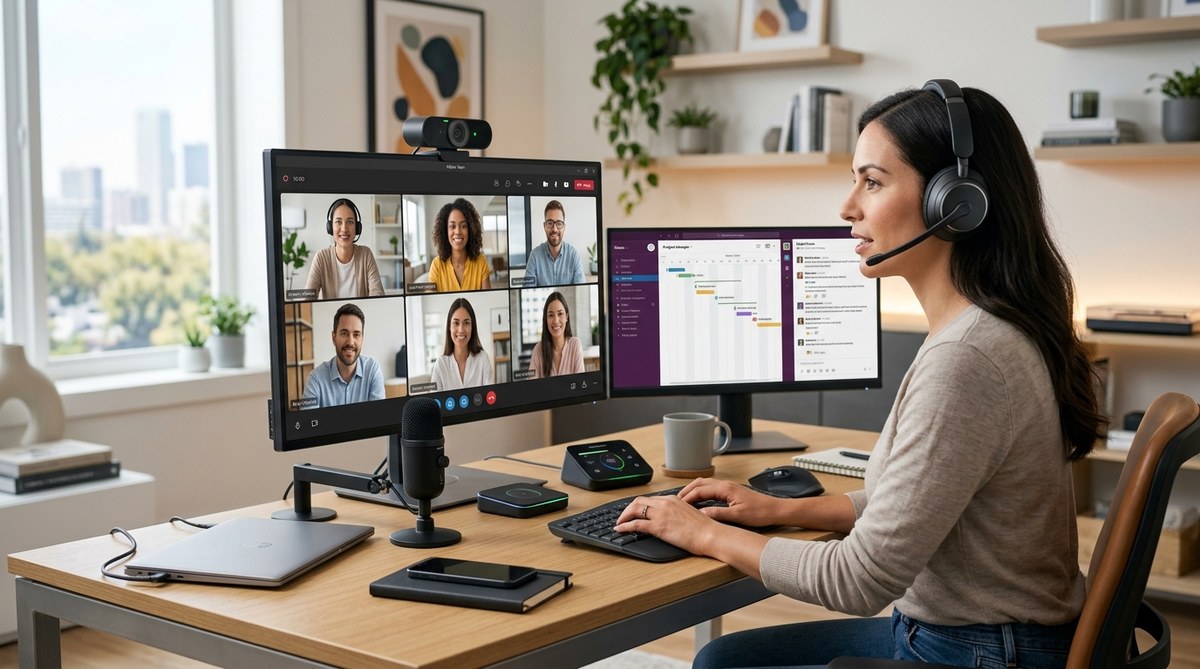
Remote work continues to reshape how teams operate, with hardware playing a pivotal role in making remote collaboration seamless. As 2026 approaches, having the right equipment can elevate your team’s productivity and connectivity. From high-quality cameras to smart whiteboards, the hardware you choose can make or break your remote meetings. Investing in the right tools ensures your team stays engaged, aligned, and efficient no matter where they are. Let’s explore the must-have remote collaboration hardware for 2026 and how to implement it effectively.
Choosing the right remote collaboration hardware in 2026 involves balancing quality, usability, and integration. Prioritize cameras, audio devices, and smart meeting tools to foster clear communication, boost engagement, and streamline workflows across distributed teams.
Why remote collaboration hardware is a game-changer in 2026
As teams become more spread out geographically, the quality of hardware makes a significant difference. Clear audio and video reduce misunderstandings, foster trust, and create a more natural meeting experience. In 2026, remote hardware isn’t just about fancy gadgets; it’s about creating an environment that mimics in-person interactions. When your team has reliable tools, meetings become more productive, and collaboration flows smoothly.
Essential categories of remote collaboration hardware in 2026
Understanding the core hardware categories helps in building a robust remote setup. Here are the key elements:
1. Video communication devices
High-quality cameras are non-negotiable. They ensure your team looks professional and feels connected. Options range from dedicated webcams to advanced 4K cameras with autofocus and wide-angle lenses. These devices help eliminate the “bad video” experience that hampers engagement.
2. Audio equipment
Clear sound is vital. Noise-canceling microphones, speakers, and headsets improve audio clarity and block out distracting background noise. For teams working in noisy environments, investing in directional microphones can make a real difference.
3. Interactive whiteboards and collaboration screens
Smart whiteboards and large displays enable real-time brainstorming and visual collaboration. Devices like digital whiteboards allow remote team members to contribute ideas as effortlessly as those in the same room.
4. Meeting room sensors and environmental controls
Smart sensors monitor room conditions, lighting, and acoustics. Automated lighting and climate controls create comfortable, visually appealing spaces that are easy to use and maintain.
5. Peripheral devices and accessories
Ergonomic keyboards, mice, adjustable stands, and cable management solutions ensure comfort during long meetings. These might seem minor but contribute significantly to productivity and well-being.
How to choose the right hardware for your remote team
Follow these steps to select equipment tailored to your team’s needs:
-
Assess your team’s environment
Consider whether your team works from home, co-working spaces, or dedicated offices. Different settings require varied hardware solutions. -
Prioritize audio and video quality
Invest in reliable, high-definition cameras and noise-canceling audio devices. These are critical for maintaining professionalism and connection. -
Ensure compatibility and ease of use
Hardware should integrate smoothly with your existing communication platforms. User-friendly devices reduce tech frustration. -
Plan for scalability
Choose equipment that can grow with your team. Modular setups or additional units should be easy to add. -
Test and train
Pilot new gear to identify issues. Offer training to maximize adoption and proper use.
Practical processes to implement remote collaboration hardware effectively
-
Audit your current setup
Identify gaps and bottlenecks. Gather feedback from team members about their current hardware and pain points. -
Set a budget and prioritize investments
Focus on high-impact devices first, such as cameras and microphones. Allocate funds based on team size and needs. -
Standardize hardware across teams
Consistency reduces troubleshooting and training time. Establish recommended devices and configurations. -
Create a hardware onboarding process
Provide clear instructions and tutorials for setup and use. Include troubleshooting guides. -
Maintain and upgrade regularly
Keep hardware updated. Schedule periodic reviews to ensure tools remain effective and compatible.
Common mistakes to avoid when outfitting remote teams
| Mistake | Why it’s a problem | How to fix it |
|---|---|---|
| Overbuying unnecessary gadgets | Wastes budget and complicates setup | Focus on essentials for effective communication |
| Ignoring audio quality | Leads to misunderstandings and fatigue | Invest in good microphones and headsets |
| Not testing equipment | Causes frustrations during meetings | Pilot devices before full deployment |
| Failing to provide training | Underutilizes hardware | Offer tutorials and support resources |
| Neglecting environmental factors | Poor lighting or acoustics diminish quality | Optimize room lighting and soundproofing |
Expert advice for upgrading your remote collaboration hardware
“The most impactful hardware upgrade is often the simplest. Clear audio and a good camera can dramatically improve your team’s remote experience. Prioritize these essentials first and then expand based on your workflow.” — Remote collaboration specialist
Building a connected remote team in 2026
Choosing and deploying the right hardware is just the start. Regularly review your setup to adapt to evolving needs. Encourage team members to share feedback and suggest improvements. Remember, the goal is to create a virtual environment that feels natural and productive. With the right tools, your team can collaborate as smoothly as if they were in the same room.
In the end, investing in quality remote collaboration hardware in 2026 sets the foundation for more engaging meetings, better teamwork, and higher overall productivity. Take the time to evaluate your current equipment, plan strategically, and keep upgrading as your team grows. Your remote team will thank you for it.
Making remote collaboration effortless with the right hardware
A well-equipped team is a confident team. As technology advances, so do the opportunities to streamline remote work environments. By focusing on essential hardware like cameras, audio devices, and interactive displays, you can transform how your team works together from afar. A thoughtful hardware strategy not only enhances communication but also boosts morale and cohesion. The key is to stay adaptable and continuously refine your setup. Start today, and watch your team’s remote collaboration thrive in 2026 and beyond.
