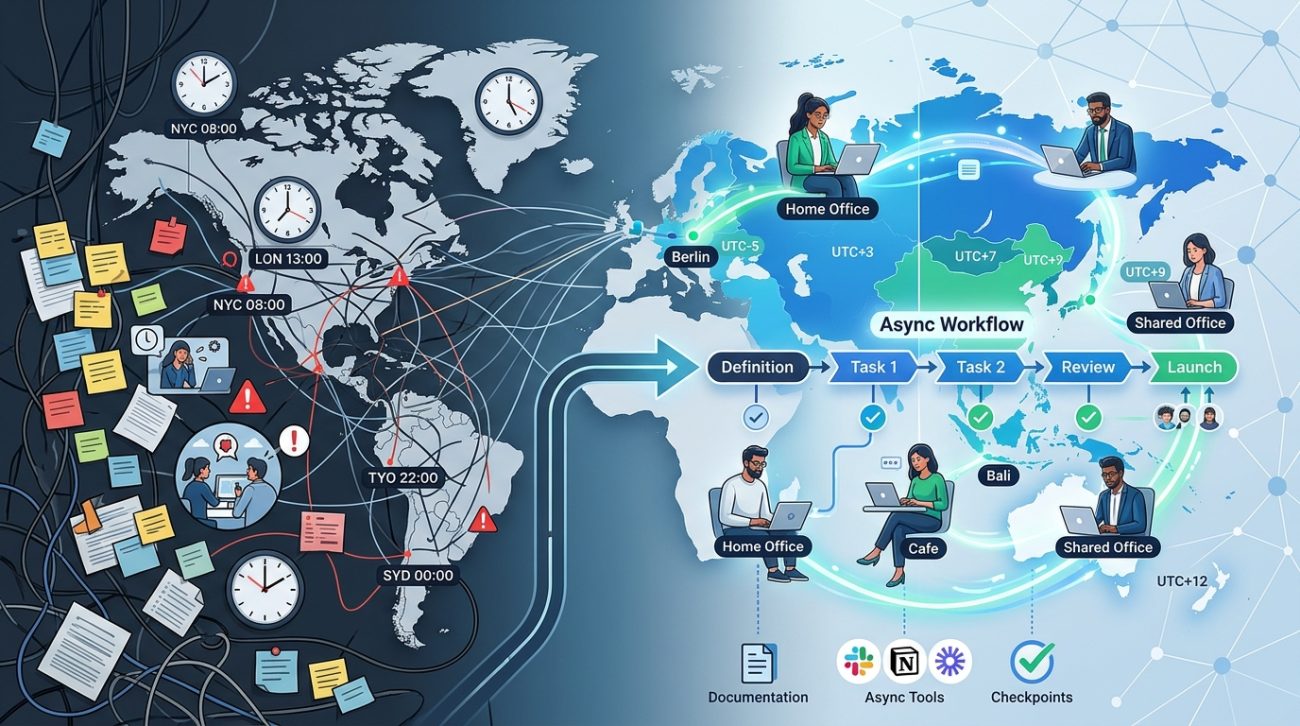
You’re staring at your calendar trying to find a single hour when your team in Sydney, Berlin, and San Francisco can all meet. Spoiler: that hour doesn’t exist. And even if it did, someone would be joining at 6 AM or 10 PM, half asleep and resentful.
This is the daily reality for distributed teams. But here’s the thing: you’re solving the wrong problem. The goal isn’t to find the perfect meeting time. It’s to stop needing synchronous meetings for everything.
Async workflows for distributed teams replace real-time coordination with structured documentation, clear ownership, and thoughtful communication patterns. By shifting from synchronous to asynchronous work, teams eliminate time zone conflicts, reduce meeting fatigue, and create better work-life boundaries. This guide provides actionable frameworks for building async processes that actually stick, including decision-making protocols, communication standards, and tool recommendations that work across 12+ time zones.
Why synchronous work breaks down at scale
When your team spans three time zones, you can usually find overlap. Someone adjusts their schedule. People compromise.
But add six more time zones and the math stops working.
Every meeting excludes someone. Every “just jump on a call” request means someone loses their evening. The people in extreme time zones start feeling like second-class team members.
And here’s what most leaders miss: even when you find overlap, forcing synchronous work creates invisible costs. Your developer in Tokyo can’t enter flow state because they’re waiting for a decision from Boston. Your designer in London can’t move forward without approval from someone who’s asleep.
The work doesn’t just slow down. It fragments.
What async workflows actually mean
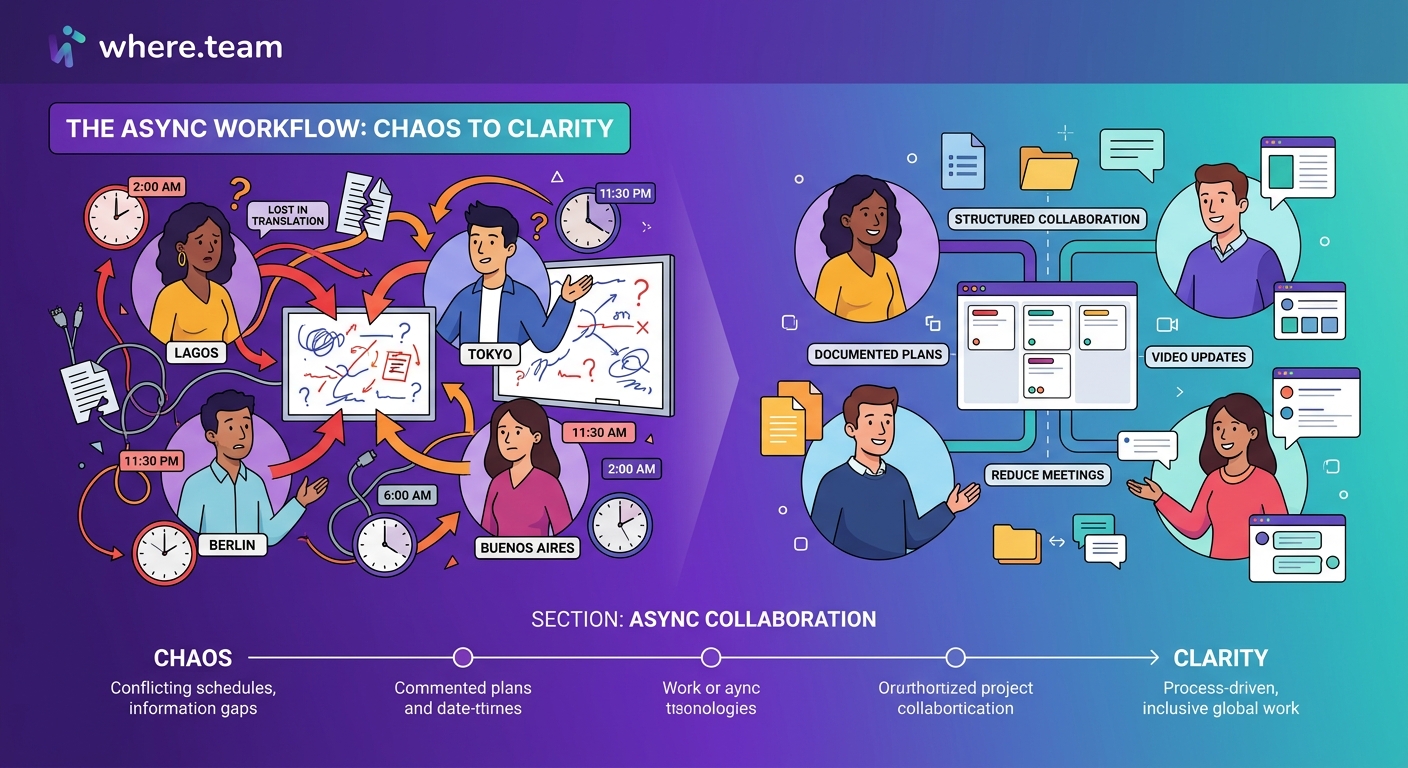
Async work isn’t just “send an email instead of meeting.” It’s a complete reimagining of how information flows through your organization.
Here’s what changes:
- Decisions get documented before they’re made, not after
- Updates happen on a schedule, not on demand
- Questions get answered in hours, not minutes, and that’s fine
- Work happens in focused blocks instead of constant context switching
The shift feels uncomfortable at first. You lose the illusion of immediacy. But you gain something better: predictability and focus.
Teams that master async work report fewer interruptions, better documentation, and ironically, faster progress on complex projects. Because nobody’s waiting around for a meeting to make decisions.
Building your async foundation in four steps
You can’t just announce “we’re async now” and expect it to work. You need infrastructure.
1. Establish your communication protocols
Create clear rules about what goes where and when responses are expected.
Here’s a framework that works:
| Communication Type | Tool | Expected Response Time | When to Use |
|---|---|---|---|
| Urgent blockers | Slack/Teams | 2 hours | Production issues, critical decisions |
| Project updates | Project management tool | 24 hours | Status changes, deliverables |
| Decisions needing input | Shared doc + async voting | 48 hours | Strategy, priorities, resource allocation |
| General questions | Team wiki or forum | 3-5 days | Process questions, how-to requests |
Notice the response times. They’re measured in hours and days, not minutes. This gives people permission to work in focused blocks.
2. Document everything that matters
If it’s not written down, it doesn’t exist in an async organization.
This means:
- Meeting notes go in a shared space before the meeting ends
- Decisions include context, not just outcomes
- Processes live in wikis, not people’s heads
- Project status updates follow a template everyone uses
The documentation-first culture takes effort to build. But it’s the only way distributed teams maintain shared understanding without constant meetings.
Start with decision logs. Every time your team makes a choice, capture: what was decided, who decided, what alternatives were considered, and why this option won. Future team members will thank you.
3. Create decision-making frameworks
The biggest async workflow killer is unclear ownership. When nobody knows who can make which decisions, everything defaults to group consensus via meeting.
Build a simple decision matrix:
- Individual decisions: Team members can decide and inform others after (tool choices for their own work, scheduling their own time)
- Consultative decisions: One person decides after gathering input asynchronously (project timelines, feature prioritization)
- Consensus decisions: Team agrees through async discussion and voting (team norms, major strategy shifts)
- Leadership decisions: Manager decides and communicates reasoning (budget allocation, hiring)
Put names next to decision types. Make it crystal clear who owns what.
4. Replace meetings with better alternatives
Some meetings genuinely need to happen. Most don’t.
Replace your standing meetings with these async alternatives:
Daily standups become status updates
Instead of a synchronous call, team members post updates in a shared channel using a template. Running async standups works better than traditional standups for distributed teams because everyone reads updates when they start their day, regardless of time zone.
Brainstorming becomes collaborative documents
Start with a structured prompt in a shared doc. Give people 48 hours to add ideas. Then spend another 48 hours commenting and building on each other’s thoughts. You get better ideas because people have time to think, not just react. For complex creative work, check out approaches for brainstorming across time zones.
Status meetings become dashboard reviews
Build a dashboard that shows project health, blockers, and progress. People review it on their own schedule and comment with questions. You only meet synchronously if someone spots a problem.
Feedback becomes recorded video + comments
Instead of a feedback meeting, record a Loom video walking through the work. The recipient watches when convenient and responds with their own video or written comments. Async feedback is often more thoughtful because both sides have time to process.
“We cut our weekly meeting load by 60% when we moved to async standups and decision docs. The first month felt slow because we weren’t used to waiting for responses. By month three, we realized we were shipping faster because people had uninterrupted time to actually build things.” — Engineering Director at a 200-person distributed company
The tools that make async work possible
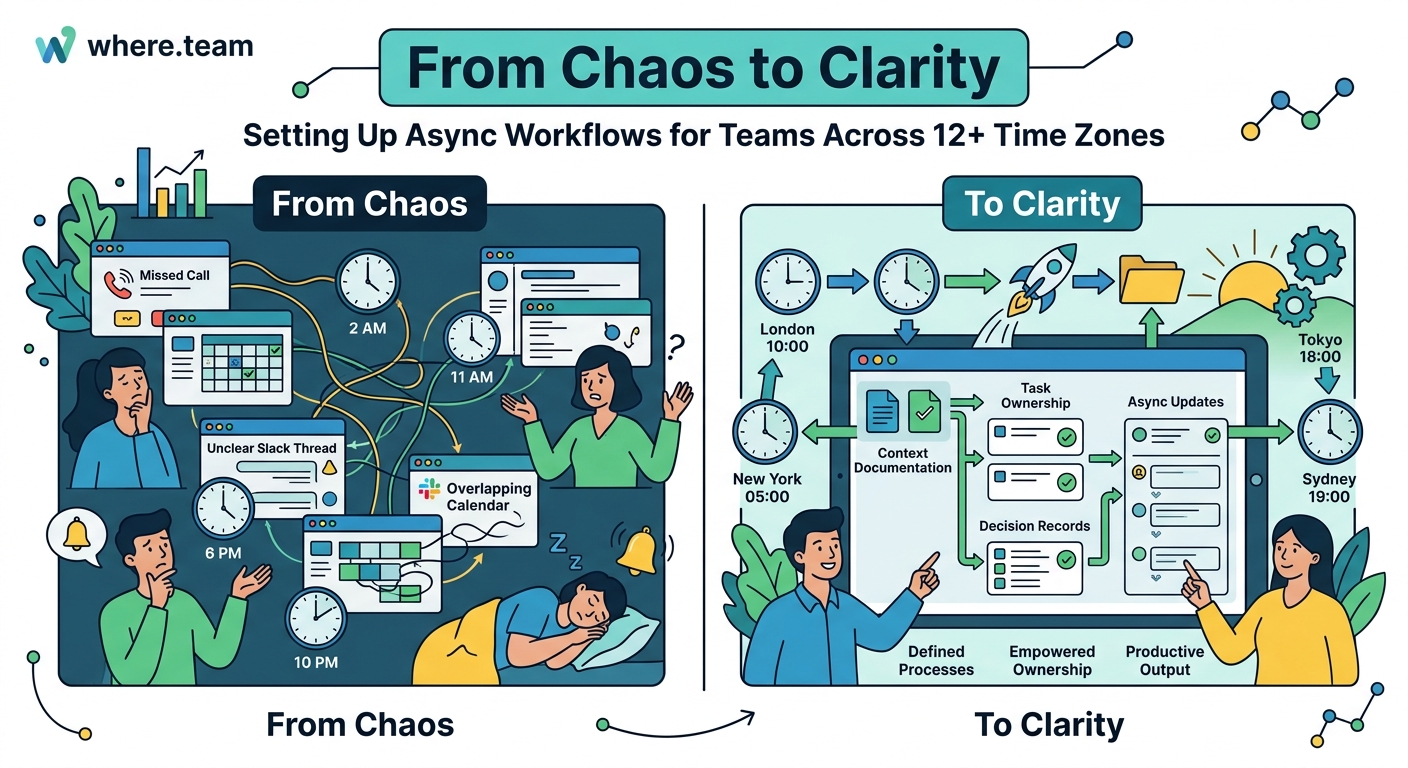
Your tech stack needs to support async patterns, not fight them.
Essential categories:
Async communication platforms
Slack and Teams work, but only if you configure them correctly. Create channels by project and topic, not just departments. Use threads religiously. Set status expectations so people know when colleagues are available.
Better options for truly async teams: Twist, Basecamp, or Discourse. These tools are designed around threaded conversations that don’t demand immediate responses. See async communication tools for detailed comparisons.
Documentation hubs
Notion, Confluence, or Coda. Pick one and commit. The specific tool matters less than having a single source of truth.
Structure it around how people search for information:
– By project
– By team
– By process type
– By decision date
Project management with async in mind
Linear, Asana, or ClickUp. Look for tools that support:
– Rich descriptions with embedded context
– Comment threads on tasks
– Clear ownership and status
– Integration with your docs and communication tools
The project management tools that work best for distributed teams make it easy to see project status without asking anyone.
Video messaging
Loom or Vidyard for async video updates. Sometimes showing is faster than writing, but you still want the async benefit of “watch when convenient.”
Common async workflow mistakes and how to avoid them
Even teams committed to async work fall into predictable traps.
Mistake 1: Making everything async
Some things genuinely work better synchronously. Difficult conversations. Conflict resolution. Onboarding new team members. Complex problem-solving when you need real-time back and forth.
The fix: Reserve synchronous time for high-value interactions. Make those meetings count. If you’re meeting, it should be because async won’t work, not because meeting is easier.
Mistake 2: No response time expectations
“Async” without timeframes becomes “whenever I feel like it.” Projects stall because nobody knows when to expect input.
The fix: Set clear SLAs for different communication types. If someone needs input for a decision by Friday, they request it by Wednesday. Build buffer time into every async process.
Mistake 3: Forgetting to close the loop
People provide input on a decision doc, then never hear what was decided or why their input mattered.
The fix: Always close the loop. When you make a decision based on async input, summarize what you heard, explain the final choice, and thank contributors by name. This reinforces that async participation matters.
Mistake 4: Punishing async workers
If you say you’re async but then praise the people who respond immediately and ignore those who respond thoughtfully within the stated timeframe, you’re not actually async.
The fix: Celebrate quality over speed. Recognize people who write clear updates, document decisions well, and provide thoughtful input, even if they do it on their own schedule.
Making async work stick through culture shifts
Tools and processes only work if your culture supports them.
Here’s what needs to change:
Redefine responsiveness
Fast doesn’t mean good. Responsive means you reply within agreed timeframes with useful information. Someone who takes 24 hours to give you a thorough, well-researched answer is more responsive than someone who says “let me check” immediately and then forgets.
Celebrate documentation
Make writing things down a core competency. In performance reviews, evaluate people on how well they document decisions and share knowledge, not just their individual output.
Model async behavior from the top
If leadership still schedules unnecessary meetings and expects immediate responses, the team will too. Executives need to post async updates, give people 48 hours to respond, and demonstrate that thoughtful async work gets rewarded.
Build in face time strategically
Async doesn’t mean never meeting. It means being intentional about when you meet. Many distributed teams do quarterly or annual meetups to build relationships and tackle work that genuinely needs synchronous time. Some use coworking spaces to create shared physical space without requiring relocation.
The goal is to make synchronous time valuable because it’s rare, not exhausting because it’s constant.
Measuring whether your async workflows actually work
You need metrics to know if this is working or just creating new problems.
Track these indicators:
- Meeting hours per person per week: Should decrease by 40-60% after implementing async workflows
- Time to decision: How long from “we need to decide this” to “decision made and documented”? Should stabilize, not increase
- Documentation completeness: What percentage of decisions have written rationale? Aim for 90%+
- Response time distribution: Are most responses happening within your stated SLAs? If not, your timeframes are unrealistic
- Employee satisfaction: Regular pulse surveys asking about work-life balance, focus time, and feeling included
The metrics tell you if async is actually working or if you’ve just traded meeting fatigue for email fatigue.
When to go synchronous instead
Async isn’t always the answer. Here’s when to default to real-time interaction:
Conflict or sensitive conversations
Text-based async communication strips out tone and body language. When emotions are high or stakes are personal, get on a call or meet in person.
Rapid iteration on creative work
Sometimes you need the energy of real-time collaboration. When you’re workshopping ideas and building on each other’s thoughts in the moment, synchronous wins.
Onboarding and training
New team members need real-time interaction to ask questions, get immediate feedback, and feel connected to the team. Front-load synchronous time during someone’s first few weeks.
Crisis response
When something’s broken and customers are affected, you need a war room, not a comment thread. Have a clear escalation path that brings people together synchronously for true emergencies.
The key is being intentional. Choose synchronous because it’s the right tool, not because it’s the default.
Getting your team to actually adopt async workflows
Knowing what to do and getting people to do it are different problems.
Here’s a rollout plan that works:
-
Start with one team or project: Don’t try to flip the entire company overnight. Pick a team that’s struggling with time zone coordination and use them as a pilot.
-
Set a 30-day experiment: Frame it as a trial. “We’re trying async standups for 30 days, then we’ll evaluate.” This reduces resistance.
-
Provide templates and examples: Don’t make people figure out what a good async update looks like. Give them templates and show examples of well-done async communication.
-
Address concerns directly: Some people will worry they’ll be forgotten or their input won’t matter. Create visible feedback loops that show async participation leads to real influence.
-
Iterate based on feedback: After 30 days, ask what worked and what didn’t. Adjust your protocols based on real experience, not theory.
-
Expand gradually: Once one team succeeds, share their results and expand to other teams. Success stories sell async better than mandates.
The teams that struggle with async adoption usually skip the experimentation phase. They mandate it top-down without proving it works first.
Building workflows that respect human schedules
The best async workflows acknowledge that your team members are humans with lives, not just workers in different time zones.
Someone in Singapore might be managing school pickups. Your developer in Berlin might have a standing Tuesday therapy appointment. Your designer in Mexico City might take a long lunch to avoid midday heat.
Async work makes all of this possible without penalty. People can structure their days around their lives, not around your meeting schedule.
But only if you build flexibility into your workflows. That means:
- Deadlines that account for weekends falling on different days
- Response windows that span multiple working days
- No expectation that people check messages outside their stated working hours
- Recognition that “business hours” is meaningless in a global team
When you respect people’s schedules, they bring their best work. When you demand they contort their lives around synchronous collaboration, you get resentment and burnout.
The most successful distributed teams treat time zone diversity as an advantage, not a problem to solve. Work literally never stops. Someone’s always making progress. The project moves forward 24 hours a day.
But that only works if you stop trying to get everyone online at the same time.
Making async workflows your team’s default mode
Shifting to async isn’t a one-time change. It’s a continuous practice of choosing thoughtful, documented communication over immediate, synchronous responses.
Start small. Pick one recurring meeting and replace it with an async alternative this week. See what happens. Adjust based on what you learn.
Then do it again next week with a different meeting.
Over time, you’ll build a team that communicates clearly, documents decisions thoroughly, and respects each other’s time. You’ll stop losing hours to coordination overhead and start gaining them back for actual work.
And your team members scattered across a dozen time zones will finally feel like they’re on the same team, even though they’re never online at the same time.
