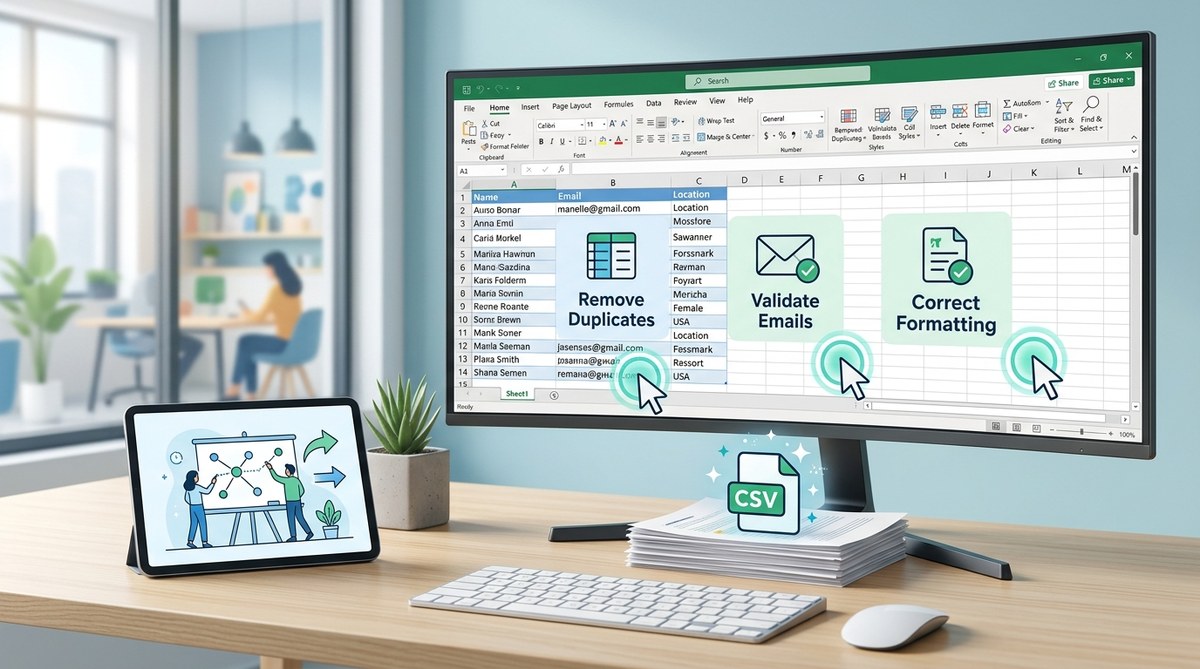
Your CRM just hit 10,000 contacts, but half of them bounce. Your sales team exported last quarter’s leads, and now you’re staring at a CSV file full of duplicate emails, broken phone numbers, and names that look like someone fell asleep on the keyboard. Sound familiar?
Messy contact data doesn’t just waste storage. It tanks your email deliverability, confuses your sales team, and makes every campaign feel like throwing darts blindfolded. For marketing ops professionals and CRM admins, cleaning contact lists isn’t optional anymore. It’s the difference between campaigns that convert and campaigns that get flagged as spam.
Cleaning contact lists requires removing duplicates, standardizing formats, validating emails, and organizing data into consistent structures. Use a combination of spreadsheet functions, dedicated tools, and manual review to catch errors that automation misses. Regular maintenance prevents data decay and keeps your campaigns performing well. Clean data means better segmentation, higher deliverability, and more accurate reporting for distributed teams.
Why Contact Lists Get Messy in the First Place
Data doesn’t rot on its own. It gets messy because people enter it differently.
One sales rep types “John Smith” while another writes “J. Smith.” Someone pastes a phone number with spaces. Another uses dashes. A third just dumps ten digits with no formatting at all. Multiply that across a team of 20 people over six months, and you’ve got chaos.
Then there are the imports. You pull attendee lists from webinars, conference sign-ups, and partner databases. Each source has its own format. Some use title case. Others use all caps. A few use no capitalization at all.
Add in job changes, company mergers, and people who sign up with three different email addresses, and you see why contact lists turn into junk drawers.
The Real Cost of Dirty Contact Data
Bad data costs more than you think.
Email platforms penalize high bounce rates. If 15% of your list is invalid, your sender reputation drops. That means even your good contacts might never see your emails because you’re landing in spam folders.
Sales teams waste hours chasing dead leads. They call disconnected numbers. They send proposals to people who left the company two years ago. Every bad contact is a tiny time tax that adds up fast.
Reporting gets unreliable. You can’t segment accurately if half your contacts are missing job titles or company names. Your campaign metrics look great until you realize 30% of your “engaged” contacts are duplicates.
For remote teams coordinating across time zones, dirty data creates even more friction. Someone in Singapore pulls a contact list at 9 AM their time. Someone in New York updates the same list six hours later. Now you’ve got two versions, and nobody knows which one is current.
Step-by-Step Process to Clean Your Contact Lists
Here’s how to turn a messy contact database into something you can actually use.
1. Export Everything to a Spreadsheet
Start by getting all your contacts into one place. Most CRMs let you export to CSV. Do that first.
Open the file in Excel, Google Sheets, or whatever spreadsheet tool your team uses. Don’t try to clean data inside your CRM. You need the flexibility of a spreadsheet to spot patterns and test fixes before you re-import.
2. Remove Obvious Duplicates
Duplicates are the easiest problem to fix and the most common.
Sort your list by email address. Scan for repeats. Most spreadsheet tools have a “remove duplicates” function built in. Use it.
But don’t stop there. Some duplicates hide behind slight variations. “[email protected]” and “[email protected]” might be the same person. So might “John Smith” and “John A. Smith.”
Look for patterns. If you see multiple entries with the same email but different names, investigate. One might be a typo. The other might be correct.
3. Standardize Formatting Across All Fields
Consistency matters more than you think.
Pick a format for names and stick to it. Title case usually works best: “John Smith” instead of “JOHN SMITH” or “john smith.”
Phone numbers need a standard format too. Decide whether you’re using dashes, parentheses, or just spaces. Then apply that format to every entry.
Addresses are tricky. Some people abbreviate “Street” as “St.” Others spell it out. Some write “Apartment 5B” while others use “Apt 5B” or “#5B.” Pick one style and convert everything to match.
4. Validate Email Addresses
Not every email address that looks real actually works.
First, check for obvious errors. Emails without “@” symbols. Emails ending in “.con” instead of “.com.” Emails with spaces in the middle.
Then validate the rest. You can use email validation tools that ping the server to check if an address exists. Some are free for small batches. Others charge per validation.
Don’t skip this step. Sending emails to invalid addresses is the fastest way to wreck your sender reputation.
5. Fill in Missing Data
Blank fields make segmentation impossible.
If you’re missing job titles, try looking people up on LinkedIn. If you’re missing company names, check email domains. Someone with an “@acme.com” email probably works at Acme Corporation.
For phone numbers, you might need to reach out directly. Or accept that some fields will stay blank. That’s okay. A partially complete record is better than a duplicate or a fake one.
6. Organize Data into Consistent Columns
Your spreadsheet should have clear, consistent columns.
At minimum, you need: First Name, Last Name, Email, Phone, Company, Job Title. Add more if your campaigns need them, but don’t go overboard. Every extra field is another thing that can break.
Make sure every row follows the same structure. If “First Name” is in column A, it should be in column A for every single contact. That sounds obvious, but you’d be surprised how often imports scramble column order.
7. Use a Delimiter Tool for Comma-Separated Text
Sometimes you export data and it comes out as one long string of text with commas separating everything. Names, emails, and phone numbers all jammed together in one cell.
This happens a lot with attendee lists from virtual events or webinar platforms. You get a text file or a poorly formatted CSV, and nothing lines up.
That’s where a comma delimiter tool helps. Delimiter lets you paste that messy text and split it into clean, spreadsheet-ready columns based on where the commas fall. It’s especially useful when you’re prepping exported team data for re-import or trying to organize attendee lists from multiple sources.
Once the text is split correctly, you can copy it back into your main spreadsheet and continue cleaning.
Common Mistakes That Make Contact Lists Worse
Even well-meaning teams make these errors.
Over-Relying on Automation
Automation is great, but it’s not magic. Tools can catch duplicates and fix some formatting issues, but they miss edge cases.
For example, two people with the same name at the same company might not be duplicates. A father and son. Two unrelated employees. Automation flags them. You need to review manually.
Ignoring Data Decay
Contact data has a shelf life.
People change jobs. Companies get acquired. Email addresses get deactivated. If you haven’t touched a contact in two years, there’s a good chance half their information is wrong.
Plan to re-verify your list at least once a year. More often if your industry has high turnover.
Mixing Personal and Work Emails
Some contacts give you their personal Gmail. Others give you their work email. Both might be in your system.
Decide which one to keep. For B2B campaigns, work emails usually perform better. For consumer campaigns, personal emails might be more reliable.
Don’t keep both unless you have a specific reason. It inflates your list size and creates confusion.
Tools and Techniques That Actually Help
Here’s what works for real contact list cleaning.
| Technique | Best For | Watch Out For |
|---|---|---|
| Spreadsheet functions | Removing duplicates, standardizing case | Manual review still needed for edge cases |
| Email validation APIs | Checking if addresses exist | Cost adds up on large lists |
| CRM deduplication tools | Catching duplicates inside your CRM | May not catch variations in names |
| Manual review | Complex cases, VIP contacts | Time-consuming at scale |
| Delimiter tools | Splitting comma-separated exports | Only works if data uses consistent separators |
No single tool does everything. You’ll need a combination.
For distributed teams working across multiple time zones, keeping everyone on the same version of a contact list is half the battle. Use shared cloud spreadsheets so updates happen in real time. Set clear naming conventions for files so nobody accidentally works on an outdated export.
How to Prevent Contact Lists from Getting Messy Again
Cleaning your list once isn’t enough. You need systems to keep it clean.
Create Data Entry Standards
Write down exactly how your team should enter contact information. Include examples.
- Names: Title case, first name and last name in separate fields
- Phone numbers: (555) 555-5555 format, no extensions in the main field
- Emails: Lowercase, no spaces
- Companies: Full legal name, not abbreviations
Share this document with everyone who touches your CRM. Make it part of onboarding for new team members.
Audit Your List Quarterly
Set a recurring calendar reminder to review your contact list every three months.
Run a duplicate check. Look for formatting inconsistencies. Validate a sample of email addresses. Remove contacts that haven’t engaged in over a year.
This doesn’t have to take all day. Even an hour of focused cleaning prevents bigger messes later.
Use Form Validation on Sign-Up Pages
If people are signing up through web forms, add validation rules.
Require the “@” symbol in email fields. Limit phone number fields to digits and common separators. Use dropdown menus for fields like “Country” or “Industry” so people can’t invent their own categories.
The cleaner the data comes in, the less you have to fix later.
“The best time to clean your contact list was six months ago. The second best time is today. Every day you wait, the problem gets worse and the fix gets more expensive.”
What to Do with Contacts You Can’t Verify
Not every contact will have complete, verifiable information. That’s normal.
Create a separate segment for incomplete contacts. Don’t delete them, but don’t include them in your main campaigns either.
Periodically try to fill in the gaps. Send a re-engagement email asking people to update their information. Offer an incentive if it makes sense. A free resource, early access to something, or entry into a prize draw.
If a contact stays incomplete and unresponsive for a year, it’s probably safe to remove them. But give them a chance first.
How Clean Data Improves Team Collaboration
Clean contact lists aren’t just about email deliverability. They make your whole team more effective.
Sales reps spend less time hunting for accurate information. They can trust that the phone number in the CRM actually works.
Marketing can segment with confidence. They know that when they filter for “Director-level contacts in healthcare,” they’re getting real directors in real healthcare companies, not a mix of outdated titles and wrong industries.
Customer success teams can see the full history of each contact without wading through duplicates. They know exactly who they’re talking to and what that person’s journey has been.
For teams that meet in person occasionally, whether at coworking spaces or company retreats, having clean attendee lists makes logistics infinitely easier. You know exactly who’s coming, how to reach them, and what dietary restrictions or accessibility needs they have.
Keeping Your Contact Data Clean While Your Team Grows
As your team scales, data quality gets harder to maintain.
More people entering data means more opportunities for inconsistency. More campaigns mean more imports and exports. More integrations mean more chances for formatting to break.
The solution isn’t to lock down your CRM so tightly that nobody can add contacts. That just creates bottlenecks.
Instead, build cleaning into your regular workflow. Make it someone’s job to audit new contacts weekly. Use automation to flag potential duplicates or formatting errors as soon as they appear. Train everyone on data entry standards, not just once during onboarding, but as ongoing refreshers.
Think of contact list cleaning like taking out the trash. If you do it regularly, it’s a small task. If you ignore it for months, it becomes overwhelming.
Measuring the Impact of Cleaner Contact Lists
How do you know if all this cleaning is worth the effort?
Track your email bounce rate. It should drop after you remove invalid addresses.
Monitor your campaign engagement rates. Clean lists mean better segmentation, which means more relevant messages, which means higher open and click rates.
Watch your sales team’s efficiency. If they’re spending less time chasing bad leads and more time closing deals, your data quality is improving.
Look at your CRM’s duplicate contact count. If it’s trending down over time, your prevention systems are working.
These metrics won’t all improve overnight. But over a few months, you should see clear progress.
When to Bring in Outside Help
Sometimes cleaning a contact list is too big a job for your team to handle alone.
If you’ve got 50,000 contacts and half of them are duplicates, you might need a data cleaning service. These companies specialize in large-scale list hygiene. They use sophisticated matching algorithms to catch duplicates that basic tools miss.
If your CRM is integrated with other systems and data is flowing in from multiple sources, you might need a CRM consultant to untangle the mess and set up proper data governance.
Don’t be afraid to ask for help. A week of professional data cleaning might cost money upfront, but it saves months of frustration down the line.
Building a Contact List That Actually Supports Your Goals
Clean contact data isn’t the end goal. It’s the foundation for everything else you’re trying to do.
You can’t run effective campaigns if you don’t know who you’re talking to. You can’t personalize outreach if half your contact records are missing key information. You can’t measure ROI accurately if your data is full of duplicates and dead ends.
Cleaning your contact list isn’t glamorous work. It’s tedious. It takes time. But it’s also one of the highest-leverage activities you can do as a marketing ops professional or CRM admin.
Start small if you need to. Pick one segment of your list. Clean it thoroughly. See how much better your campaigns perform. Then expand to the next segment.
Your future self will thank you. So will your sales team, your marketing team, and anyone else who depends on that data to do their job well.
