
Your finance team approved the hybrid work policy six months ago. The spreadsheet looked clean: reduced office space, lower utility bills, happier employees. But now your CFO is staring at budget variances that don’t make sense. Technology subscriptions have doubled. Travel expenses are up, not down. And there’s a mysterious line item for “workspace stipends” that keeps growing.
Hybrid work creates unexpected expenses beyond obvious savings from reduced office space. Technology redundancy, productivity tools, home office stipends, increased travel for team gatherings, [mental health resources](https://www.who.int/health-topics/mental-health), and coordination overhead can add 23 to 41 percent to your operational budget. Successful hybrid budgeting requires tracking distributed costs across departments, building flexibility for experimentation, and measuring return on investment for each expense category.
The technology trap that doubles your software spend
Most organizations assume they’ll save money by reducing office infrastructure. They’re not wrong, but they’re only seeing half the picture.
Your on-premise conference room system cost $15,000 upfront. It served 50 employees for three years. That’s $100 per employee annually. Now those same 50 people need individual video conferencing setups, collaboration software licenses, cloud storage, project management tools, and virtual whiteboarding platforms.
The math changes fast.
Each employee now needs:
– Video conferencing software with recording capabilities
– Project management platform access
– Cloud storage beyond basic email limits
– Asynchronous communication tools
– Digital signature services
– VPN and security software
– Screen sharing and presentation tools
A mid-tier stack runs $75 to $150 per employee monthly. That’s $900 to $1,800 annually per person. For your 50-person team, you’re looking at $45,000 to $90,000 yearly, versus the $5,000 annual amortized cost of that conference room system.
The hidden multiplier? Tool overlap. Marketing uses Miro. Engineering prefers Figma. Sales needs their own CRM integrations. Before you know it, you’re paying for four tools that do essentially the same thing.
“We discovered we were paying for 23 different SaaS subscriptions across a 40-person company. Twelve of them had overlapping functionality. The finance team had no visibility because managers were expensing them individually.” – Finance Director, Series B SaaS Company
Home office stipends that spiral beyond initial estimates
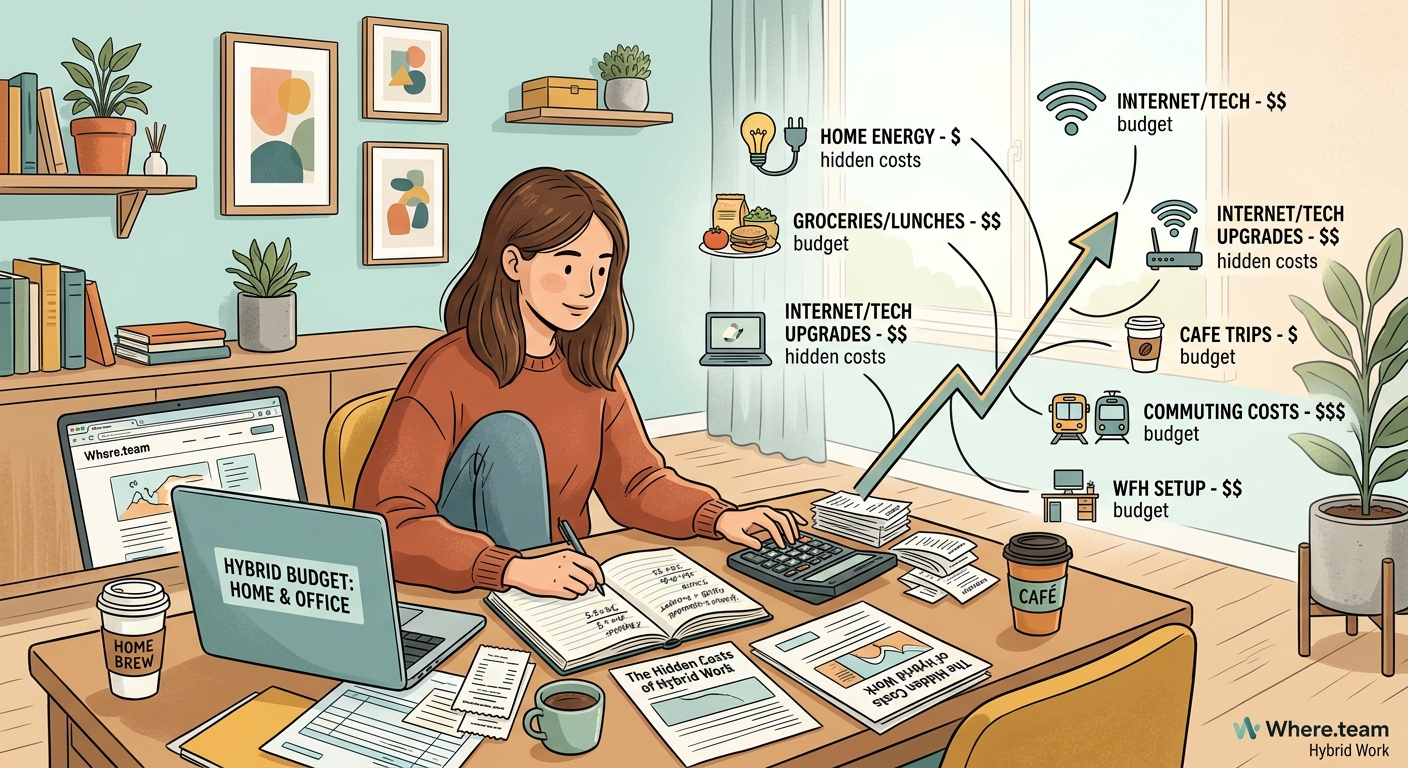
You budgeted $500 per employee for home office setup. Seemed generous. A decent chair, maybe a monitor, done.
Then reality hit.
Employees working from home three days per week need more than a folding chair and a laptop on the kitchen table. They need ergonomic setups that prevent injury, proper lighting for video calls, and acoustics that don’t broadcast their neighbor’s dog to every client meeting.
Your initial $500 quickly becomes:
– Ergonomic chair: $400 to $800
– Standing desk or converter: $300 to $700
– External monitor (often two): $200 to $400 each
– Webcam upgrade: $100 to $200
– Lighting for video calls: $50 to $150
– Headset with noise cancellation: $150 to $300
– Keyboard and mouse: $100 to $200
That’s $1,300 to $2,750 per employee. For a 50-person team, you’re looking at $65,000 to $137,500 in year one alone.
But the costs don’t stop after initial setup. Equipment breaks. Technology becomes obsolete. An employee who joined your team with a full home office setup might move to a smaller apartment. Another might relocate to help aging parents and need a second setup.
Replacement and refresh cycles add 15 to 25 percent annually to your original investment. The ultimate guide to building a home office that actually boosts productivity can help employees maximize these investments, but the underlying costs remain.
The coordination tax nobody mentions
Hybrid work means some people are in the office Tuesday and Thursday. Others come in Wednesday and Friday. A few are fully remote in different time zones.
Scheduling a single meeting now takes 47 percent longer than it did when everyone shared the same space.
That coordination overhead compounds:
-
Calendar management multiplies: Finding a time that works across time zones and individual schedules requires back-and-forth that used to take seconds.
-
Meeting equity demands investment: You need technology that makes remote participants equal to in-room attendees, not second-class participants watching through a shaky laptop camera.
-
Documentation becomes mandatory: Decisions made in hallway conversations must now be written down, or remote team members miss critical context.
-
Asynchronous communication requires new skills: Teams need training on how to communicate effectively without real-time interaction, which means either hiring expertise or losing productivity during the learning curve.
The average manager now spends eight additional hours monthly just on coordination logistics. For a company with 10 managers at $100,000 annual salary, that’s $46,000 yearly in pure coordination overhead.
Why your remote meetings feel exhausting and how to fix zoom fatigue addresses one piece of this puzzle, but the time cost remains even when fatigue is managed.
Travel expenses that increase instead of disappear
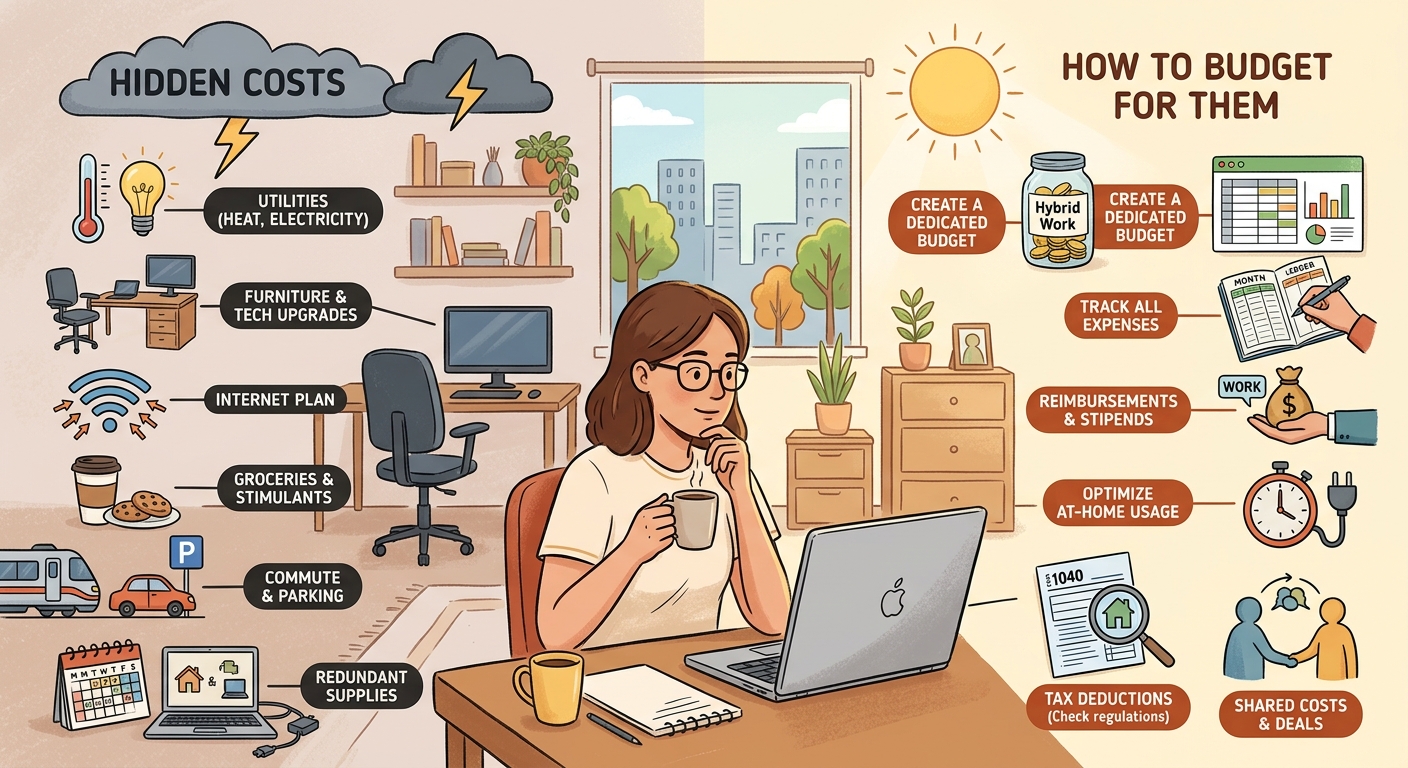
Here’s the paradox: hybrid work often increases travel costs.
When everyone was in the office daily, you didn’t need to fly people in for team building. You didn’t need to rent conference spaces for quarterly planning. You didn’t need to book hotels for department offsites.
Now you do.
Companies with distributed teams typically spend:
– $2,000 to $4,000 per employee annually on team gatherings
– $500 to $1,500 per employee for quarterly offsites
– $1,000 to $3,000 per employee for annual company retreats
A 50-person company can easily spend $175,000 to $425,000 yearly bringing people together. That’s after you’ve already “saved” money by reducing office space.
The calculation gets more complex when you factor in:
| Expense Category | Traditional Office | Hybrid Model | Hidden Multiplier |
|---|---|---|---|
| Daily commute | Employee absorbs cost | Employee absorbs cost | None |
| Team meetings | No travel needed | Flights, hotels, meals | 3x to 5x per gathering |
| Onboarding | Local orientation | Fly to headquarters | $1,500 to $3,000 per new hire |
| Client meetings | Local or planned | Coordinated from multiple locations | 2x to 3x coordination time |
| Emergency collaboration | Walk to conference room | Book coworking space or travel | $200 to $2,000 per incident |
How to choose the perfect coworking space for your remote team’s quarterly meetup can help optimize these costs, but the fundamental expense remains higher than the fully co-located model.
Mental health and wellness programs you didn’t budget for
Hybrid work blurs boundaries between work and home. That laptop on your kitchen table is always there. The Slack notification pings during dinner. The boundary between “at work” and “off work” dissolves.
The mental health impact is real, and it’s costly.
Organizations are now investing in:
– Mental health app subscriptions: $5 to $20 per employee monthly
– Increased EAP (Employee Assistance Program) usage: 30 to 50 percent higher than pre-pandemic levels
– Virtual wellness programs: $10 to $50 per employee monthly
– Additional PTO to prevent burnout: indirect cost of 5 to 10 additional days per employee
– Management training on remote team wellness: $500 to $2,000 per manager
For a 50-person company, mental health and wellness programs now run $30,000 to $75,000 annually. These programs didn’t exist in most small to mid-size company budgets three years ago.
The alternative cost is higher. Burnout leads to turnover. Replacing an employee costs 50 to 200 percent of their annual salary when you factor in recruiting, onboarding, and productivity ramp-up time.
The productivity tools that promise efficiency but add complexity
Every productivity tool promises to save time and money. Most add complexity instead.
Your team now uses:
– Asynchronous video messaging (Loom, Vidyard)
– Virtual whiteboarding (Miro, Mural)
– Document collaboration (Google Workspace, Microsoft 365)
– Project management (Asana, Monday, ClickUp)
– Communication (Slack, Teams)
– Knowledge management (Notion, Confluence)
Each tool costs $10 to $30 per user monthly. Each tool requires training. Each tool creates another place where information lives. Each tool needs integration with other tools.
The total cost of ownership for productivity tools includes:
- Direct subscription costs
- Training time (typically 5 to 10 hours per employee per new tool)
- Integration and IT management overhead
- Reduced productivity during adoption periods
- Ongoing support and troubleshooting
A seemingly modest $15 per user monthly subscription actually costs $35 to $50 per user when you include these hidden factors.
Internet and utility stipends that vary wildly by location
You decided to offer a $50 monthly internet stipend. Fair enough. Most employees spend that much on home internet anyway.
Then you hired someone in rural Montana where the only available internet costs $120 monthly. Another employee in New York City pays $85 but needs a speed upgrade for video calls, bringing it to $130. Someone in Kansas City has gigabit fiber for $65.
Do you pay the same stipend to everyone? Do you reimburse actual costs? Do you set regional rates?
The same complexity applies to utility costs. Running air conditioning or heat all day while working from home adds $40 to $150 monthly to utility bills, depending on climate and home size. Some companies reimburse this. Others don’t. The inconsistency creates equity issues that HR must navigate.
A comprehensive work-from-home stipend program typically includes:
- Internet: $50 to $100 monthly
- Utilities: $30 to $75 monthly
- Phone: $20 to $50 monthly
- Office supplies: $20 to $40 monthly
That’s $120 to $265 per employee monthly, or $1,440 to $3,180 annually. For 50 employees, you’re spending $72,000 to $159,000 yearly on stipends that didn’t exist in your traditional office budget.
Security infrastructure that protects distributed endpoints
Your office network had a firewall. IT controlled access. Physical security prevented unauthorized entry.
Now your network extends to 50 home offices, 12 coffee shops, 4 coworking spaces, and whatever airport lounge your sales team is working from today.
Security costs for distributed teams include:
- VPN services: $5 to $15 per user monthly
- Endpoint protection: $8 to $20 per device monthly
- Identity and access management: $10 to $25 per user monthly
- Security awareness training: $200 to $500 per employee annually
- Incident response tools: $15 to $40 per user monthly
- Compliance and audit costs: 2x to 3x higher for distributed environments
Your security budget just increased by $50 to $100 per employee monthly. That’s $30,000 to $60,000 annually for a 50-person team.
The cost of not investing in security is higher. A single data breach costs small to mid-size businesses an average of $2.98 million. For most organizations, that’s an existential threat.
Real estate costs that don’t disappear as expected
You downsized from 10,000 square feet to 4,000 square feet. That’s a 60 percent reduction in rent. Victory, right?
Not exactly.
Hybrid work requires different space configurations. You need:
– More meeting rooms (because hybrid meetings need dedicated technology)
– Fewer fixed desks (because people rotate through)
– Hoteling systems (to manage desk reservations)
– Enhanced video conferencing infrastructure in every meeting space
– Phone booths for private calls
– Collaboration zones that work for both remote and in-person participants
The cost per square foot actually increases because the space needs to be more flexible and more heavily equipped with technology.
How to design a hybrid work schedule that actually works for your team can help optimize space usage, but the per-square-foot cost remains higher than traditional office configurations.
Additionally, many companies discover they need satellite offices or coworking memberships in cities where they have employee clusters. A coworking membership costs $200 to $500 per person monthly. If you have five employees in Austin who need occasional meeting space, that’s $12,000 to $30,000 annually for space you don’t own.
How to actually budget for hybrid work
Hoping for the best doesn’t work. Here’s a systematic approach:
-
Audit your current distributed costs across all departments. Finance sees some expenses. IT sees others. HR approves stipends. Managers expense coworking spaces. Aggregate everything into a single view.
-
Categorize expenses into fixed, variable, and experimental buckets. Fixed costs include software licenses and stipends. Variable costs include travel and coworking space usage. Experimental costs cover new tools you’re testing.
-
Build a cost model per employee that includes all categories. Your hybrid cost per employee should include technology, stipends, travel, coordination overhead, security, and a portion of real estate costs.
-
Set quarterly review cycles to adjust budgets based on actual usage. Your first-year budget will be wrong. Everyone’s is. Review and adjust every 90 days.
-
Create clear policies on what the company covers and what employees absorb. Ambiguity creates resentment and budget overruns. Document everything.
-
Measure ROI for each major expense category. Are those virtual whiteboarding tools actually improving collaboration? Is the monthly coworking stipend being used? Cut what doesn’t deliver value.
Here’s a realistic budget template for a 50-person hybrid organization:
| Category | Monthly Per Employee | Annual Per Employee | Total Annual (50 employees) |
|---|---|---|---|
| Software and tools | $125 | $1,500 | $75,000 |
| Home office equipment | $35 (amortized) | $420 | $21,000 |
| Stipends (internet, utilities) | $150 | $1,800 | $90,000 |
| Security infrastructure | $75 | $900 | $45,000 |
| Travel and gatherings | $250 | $3,000 | $150,000 |
| Mental health and wellness | $50 | $600 | $30,000 |
| Coordination overhead | $77 | $924 | $46,200 |
| Flexible office space | $100 | $1,200 | $60,000 |
| Total | $862 | $10,344 | $517,200 |
This budget assumes you’ve already reduced traditional office space costs. The $517,200 represents new or increased expenses specific to hybrid work.
Building flexibility into your hybrid budget
Rigid budgets break under hybrid work pressure. You need flexibility.
Set aside 15 to 20 percent of your hybrid work budget as an experimentation fund. Use it to test new tools, try different coworking spaces, or pilot wellness programs. Some experiments will fail. That’s fine. The ones that succeed will more than pay for the failures.
Create approval tiers:
– Managers can approve up to $500 monthly for team-specific needs
– Directors can approve up to $2,000 monthly for department experiments
– Executive approval required for anything larger
This structure prevents bottlenecks while maintaining financial control.
Track everything, but don’t micromanage. You want visibility into spending patterns, not approval workflows for every $20 expense.
Measuring what matters beyond pure cost
Cost per employee is useful, but it’s not the only metric that matters.
Track these indicators alongside your budget:
– Employee satisfaction with hybrid arrangements
– Turnover rate compared to pre-hybrid baseline
– Productivity metrics specific to your business
– Time to hire (hybrid work expands your talent pool)
– Office space utilization rates
– Tool adoption and usage rates
A hybrid work model that costs 30 percent more but reduces turnover by 40 percent is a bargain. Replacing employees costs far more than investing in their hybrid work experience.
Making hybrid work financially sustainable
The hidden costs of hybrid work are real, but they’re manageable.
Start by accepting that hybrid work won’t be cheaper than your traditional office model. It might be. It probably won’t be. The value comes from access to better talent, improved retention, and employee satisfaction, not from reduced costs.
Build your budget with full visibility into distributed expenses. Create policies that are clear and equitable. Review and adjust quarterly. Measure ROI ruthlessly and cut what doesn’t work.
How to plan your first company retreat without breaking the budget offers specific tactics for one of the largest hybrid work expenses, but the principle applies across all categories: plan thoroughly, track carefully, and optimize continuously.
The organizations that succeed with hybrid work treat it as a strategic investment, not a cost-cutting exercise. They budget for the full reality of distributed work, including the hidden costs that surprised everyone in year one. They build flexibility into their financial planning and adjust as they learn what works for their specific team and culture.
Your CFO might not love the budget variances right now. But with proper planning and visibility, those variances become predictable line items. And predictable costs, even if they’re higher than hoped, are infinitely better than financial surprises that derail your quarterly targets.
