
Your designer in Berlin just pinged you about a critical bug. Your developer in Singapore is already asleep. Your product manager in San Francisco hasn’t even started their day yet. And you need everyone aligned by tomorrow.
This is the daily reality of managing team across time zones. The coordination challenges feel endless, but they’re solvable with the right systems in place.
Successfully managing team across time zones requires a shift from synchronous to asynchronous workflows, strategic meeting windows, clear documentation practices, and thoughtful tools. Teams that embrace overlap hours, rotate meeting times fairly, and build a documentation-first culture can maintain productivity and morale without burning out their distributed workforce. The key is creating systems that respect everyone’s working hours while keeping projects moving forward.
Understanding the real cost of poor time zone management
When time zone coordination fails, the damage spreads beyond missed meetings.
Projects stall waiting for answers that arrive 12 hours late. Team members stay up until midnight for calls that could have been emails. Resentment builds when the same people always sacrifice their evenings.
The financial impact adds up. A study by Harvard Business Review found that poorly coordinated distributed teams experience 20-30% longer project timelines. That’s not just lost time. That’s lost revenue, missed market opportunities, and frustrated clients.
But the human cost matters more. Burnout rates spike when people regularly work outside their normal hours. Employee retention suffers. The best talent leaves for companies that respect their boundaries.
The good news? These problems are preventable with intentional systems.
Map your team’s actual working hours
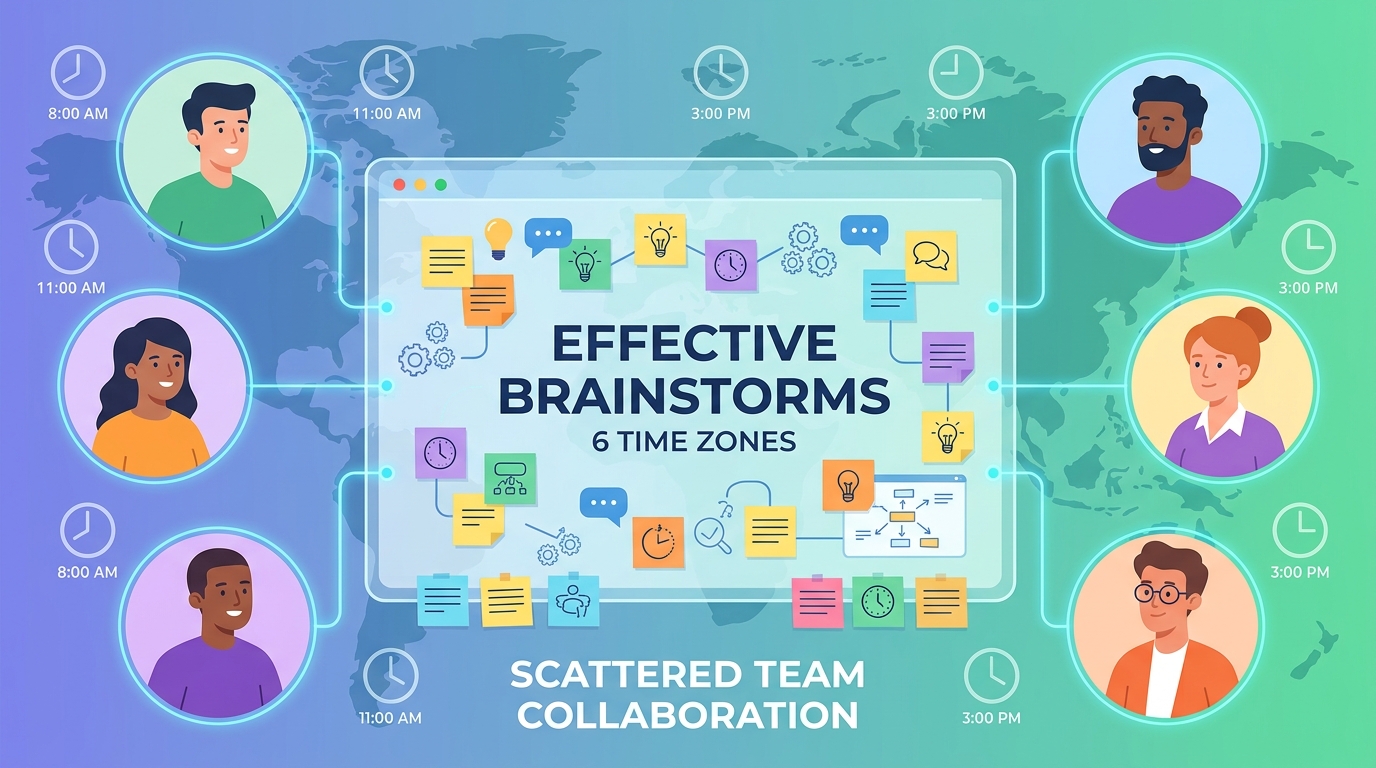
Before you can fix scheduling issues, you need to see the full picture.
Create a visual map of everyone’s working hours. Not the hours they’re willing to stretch to. Their actual, sustainable 9-to-5 equivalent.
Use a simple spreadsheet or tool like World Time Buddy. List each team member, their location, and their core working hours in [UTC](https://time.now/timezones/utc/). This becomes your single source of truth.
Look for natural overlap windows. These are golden hours when multiple time zones intersect. A team spanning New York, London, and Dubai might have a 2-hour window from 1-3 PM GMT where everyone’s available.
These overlap periods are precious. Protect them ruthlessly for synchronous work that genuinely needs real-time collaboration.
The 4-step process for scheduling across time zones
Here’s a systematic approach that works for teams spanning 3 or more time zones:
-
Identify what actually needs synchronous time. Most meetings don’t. Weekly status updates can be async. Brainstorming sessions often can’t. Be honest about what requires live collaboration and what doesn’t.
-
Establish core overlap hours. Pick 2-4 hours per week when the majority of your team can reasonably meet. This might mean 8 AM for some and 6 PM for others, but it should fall within extended business hours (7 AM to 7 PM local time) for everyone.
-
Rotate the pain. If your overlap window is painful for certain time zones, rotate meeting times monthly. One month, the Asia-Pacific team takes early calls. Next month, the Americas team stays late. Fair distribution prevents burnout.
-
Default to async for everything else. Use recorded video updates, collaborative documents, and threaded discussions. The 15-minute remote stand-up can be recorded and watched at convenient times rather than forcing everyone into a live call.
This process reduces meeting overhead by 60-70% for most distributed teams while improving actual collaboration quality.
Building an async-first communication culture

Synchronous meetings should be the exception, not the default.
Start by establishing clear response time expectations. A message sent at 3 PM shouldn’t expect a reply until the next business day if the recipient is in a different time zone. Make this explicit in your team handbook.
Use threaded conversations in Slack or Teams. This keeps context clear when people read messages 8 hours later. A wall of unthreaded messages is impossible to parse across time zones.
Record important decisions and share them in a central location. A Notion page, Confluence wiki, or shared Google Doc works fine. The tool matters less than the habit of building a documentation-first culture.
“The best distributed teams I’ve worked with treat documentation like a competitive advantage. Every decision, every discussion outcome, every ‘why we chose this’ gets written down. It’s not overhead. It’s how you move fast when people are never online together.” – Claire Barrett, VP of Engineering at a distributed-first SaaS company
Video messages work better than text for complex topics. Tools like Loom let you record your screen and explain something in 3 minutes that would take 20 minutes to type out. The recipient watches when convenient.
Strategic meeting design for distributed teams
When you do need synchronous time, make it count.
Send agendas 24 hours in advance. Include specific questions or decisions needed. This lets people in all time zones prepare properly, even if they’re joining at an awkward hour.
Start meetings by acknowledging the time sacrifice. “Thanks to the Singapore team for joining at 8 PM” goes a long way. Recognition matters.
Keep meetings tight. A 25-minute meeting is better than 30. A 50-minute meeting beats an hour. The extra buffer gives people time to grab coffee or take a break before their next commitment.
Recording meetings should be standard practice, not optional. Someone will always miss a meeting due to time zones, sick days, or emergencies. Recordings ensure they can catch up without requiring a separate recap meeting.
End every meeting with clear next steps and owners. Post these in your shared workspace immediately. People who couldn’t attend need to know what changed and what they’re responsible for.
Tools that actually help with time zone coordination
The right tools reduce friction significantly.
For scheduling:
– Calendly or SavvyCal automatically show your availability in the invitee’s time zone
– World Time Buddy gives you a visual grid of team member availability
– Google Calendar’s “working hours” feature prevents people from booking you outside your preferred times
For async communication:
– Loom for video messages
– Notion or Confluence for documentation
– Slack or Microsoft Teams with clear channel naming and threading
– Async communication tools designed specifically for distributed teams
For project management:
– Asana, Linear, or ClickUp with clear due dates in UTC
– GitHub or GitLab for code reviews that happen asynchronously
– Miro or Figma for collaborative design work that doesn’t require real-time presence
The key is choosing tools that show timestamps in each user’s local time zone automatically. Nothing creates more confusion than trying to mentally convert “3 PM” when you don’t know which time zone the sender meant.
Common mistakes and how to avoid them
| Mistake | Why it happens | Better approach |
|---|---|---|
| Scheduling recurring meetings at the same time | Convenient for organizer, painful for some zones | Rotate meeting times monthly or quarterly |
| Expecting immediate responses | Synchronous work habits die hard | Set explicit response SLAs (24 hours for non-urgent) |
| Using only text for complex topics | Seems faster to type | Record a 3-minute Loom instead |
| Not documenting decisions | Meeting felt sufficient | Assign a note-taker for every meeting |
| Forgetting about daylight saving time | Assuming time zones are static | Use UTC for all scheduling |
| Making one time zone the “default” | Company HQ bias | Explicitly rotate inconvenience |
The daylight saving issue catches teams every spring and fall. The US, EU, and most other regions change clocks on different dates. Your 2 PM overlap window suddenly becomes 3 PM for half the team. Always reference UTC for critical deadlines.
Creating fair rotation schedules
If your team spans more than 8 time zones, someone will always have an inconvenient meeting time.
The solution isn’t to make the same people suffer repeatedly. It’s to distribute the inconvenience fairly.
Here’s a rotation framework that works:
- Month 1: Optimize for Americas time zones (meetings at 9-11 AM EST)
- Month 2: Optimize for EMEA time zones (meetings at 2-4 PM GMT)
- Month 3: Optimize for APAC time zones (meetings at 9-11 AM Singapore time)
- Month 4: Repeat
This ensures everyone gets one month where meetings fall during their prime working hours, and two months where meetings are slightly inconvenient but manageable.
For critical all-hands meetings, consider running them twice. Once optimized for Americas/EMEA, once for APAC. Yes, you’re presenting the same content twice. But you’re showing respect for everyone’s time.
Handling urgent issues across time zones
Real emergencies don’t wait for convenient time zones.
Establish a clear escalation path. Who should people contact if something breaks at 2 AM their time? What constitutes a true emergency versus something that can wait?
Create an on-call rotation if you have critical systems. Tools like PagerDuty or Opsgenie help manage this fairly across time zones.
For urgent but not emergency issues, use async-first communication with clear severity labels. A Slack message tagged “Urgent: needs response within 4 hours” sets expectations without demanding someone wake up.
Build redundancy into your team structure. If only one person knows how to fix your authentication system and they’re in a single time zone, you have a vulnerability. Cross-train team members in different regions.
Making in-person time count
Despite all the async tools and processes, distributed teams still need face time.
Plan quarterly or annual meetups where everyone gathers in person. Use this time for relationship building, strategic planning, and the kind of creative work that benefits from being in the same room.
Choose coworking spaces that can accommodate your full team for these gatherings. Look for venues with strong meeting room technology so you can still include anyone who can’t travel.
Don’t waste in-person time on things that work fine remotely. Status updates and routine planning can happen async. Use your precious together-time for workshops, team building, and complex problem-solving that genuinely benefits from synchronous collaboration.
Team retreat activities should focus on building the relationships that make async work smoother the other 51 weeks of the year.
Setting boundaries and preventing burnout
The biggest risk in time zone management is the expectation of constant availability.
Make it explicit that people should not check messages outside their working hours. Lead by example. If you’re the manager, don’t send Slack messages at 11 PM unless you’re fine with people ignoring them until morning.
Use scheduled send features. Write that email at midnight if that’s when you’re thinking about it, but schedule it to send at 9 AM recipient time.
Encourage people to set “working hours” in their calendar tools and actually respect them. If someone’s calendar shows they’re offline, don’t book them for meetings.
Watch for patterns of overwork. If someone’s consistently joining calls at 10 PM their time, that’s unsustainable. Adjust your rotation or find an async alternative.
Fixing meeting fatigue matters even more when those meetings happen at inconvenient times. A draining 2-hour call at 7 PM is worse than the same call at 2 PM.
Measuring what’s working
Track metrics that reveal time zone coordination health:
- Average response time to non-urgent messages
- Percentage of meetings that include all relevant stakeholders
- Employee satisfaction scores around work-life balance
- Number of decisions documented versus left in Slack threads
- Meeting attendance rates by time zone
If your APAC team consistently has lower meeting attendance, that’s a signal. Either the meetings aren’t valuable enough to justify the inconvenient time, or you need to rotate the schedule.
Survey your team quarterly. Ask specifically about time zone challenges. “What meetings feel worth the inconvenient timing?” and “What synchronous work could move to async?” reveal opportunities for improvement.
Building systems that scale
As your team grows, time zone complexity increases exponentially.
A 5-person team spanning 3 time zones is manageable with informal coordination. A 50-person team spanning 8 time zones needs robust systems.
Document your time zone policies in a team handbook. Cover:
- Core overlap hours for each team or department
- Response time expectations for different message types
- Meeting rotation schedules
- On-call procedures
- Decision documentation requirements
Make these policies part of onboarding. New hires should understand time zone norms from day one, not learn through trial and error.
Assign a “documentation champion” on each team. This person ensures meeting notes get posted, decisions get recorded, and async updates happen consistently. Rotate this role quarterly so it doesn’t become one person’s permanent burden.
When time zones become an advantage
Here’s the counterintuitive truth: time zones can be a competitive advantage.
A team distributed across 12+ hours of time zones can provide near 24-hour coverage. A customer question posted at 5 PM New York time gets answered by your Singapore team before New York wakes up.
Development cycles speed up. Your US team writes code, your India team reviews it overnight, fixes are ready by US morning. This “follow-the-sun” workflow can cut iteration time in half.
Different perspectives emerge. A team that never works together synchronously is forced to write better documentation, create clearer processes, and communicate more thoughtfully. These skills benefit everyone.
The key is intentionality. Time zones become an advantage when you build systems that leverage them, not when you fight against them trying to force everyone into the same working hours.
Making distributed work sustainable
Managing team across time zones isn’t about finding the perfect scheduling tool or the ideal meeting time. Those help, but they’re not the core solution.
The real shift is moving from synchronous-by-default to async-by-default. It’s respecting that your 3 PM is someone else’s midnight. It’s documenting decisions so people don’t have to be in the room where it happened.
Start small. Pick one recurring meeting and make it async this month. Record a Loom instead of scheduling a call. See what happens.
Then tackle your documentation. Spend one week writing down every decision, every “why we chose this,” every outcome. Make it a habit.
Your team will thank you. And your projects will move faster, not despite the time zones, but because you’ve built systems that work with them instead of against them.
