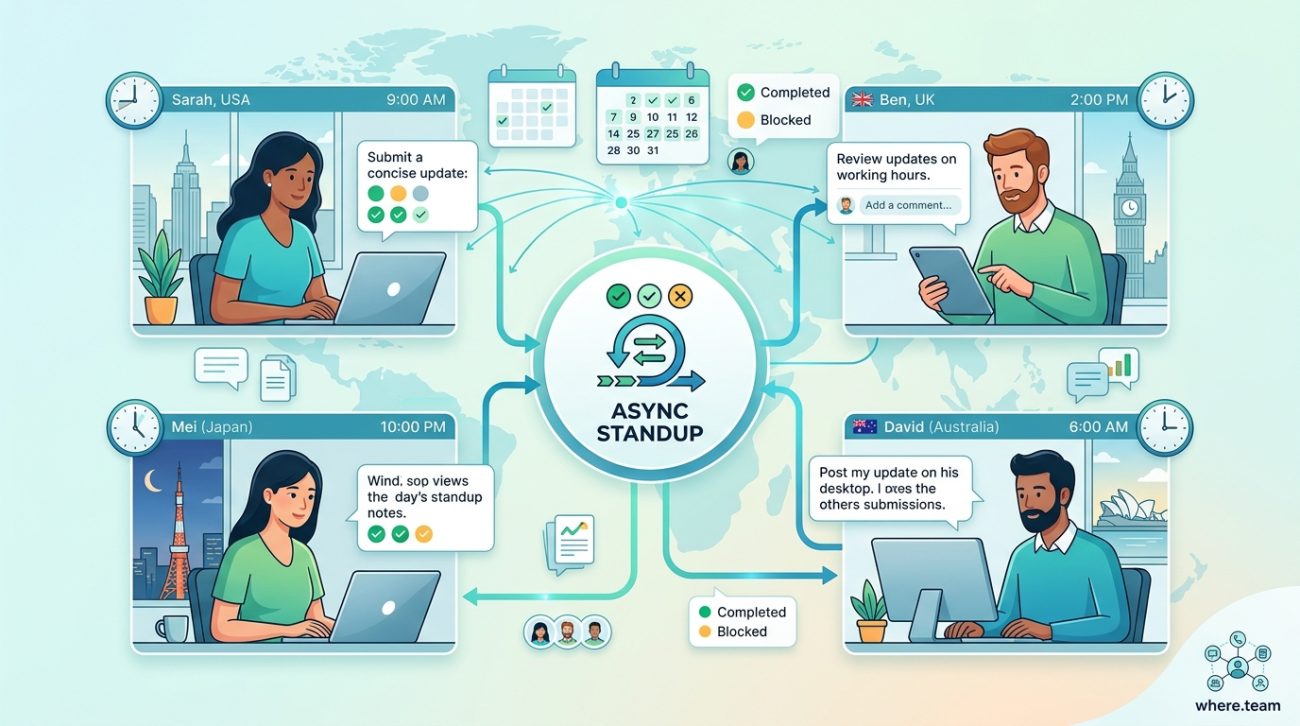
Your engineering team spans twelve time zones. Your designer starts work when your backend developer is asleep. Your scrum master hasn’t seen the entire team online simultaneously in three months. Traditional standup meetings are impossible, and you’re tired of forcing people to join calls at 3 AM or reading stale updates from yesterday.
Async standup meetings replace synchronous check-ins with written updates submitted on each team member’s schedule. When structured properly with clear templates, consistent timing, and the right tools, they maintain team alignment without requiring everyone online at once. This approach reduces meeting fatigue, creates searchable documentation, and respects global time zones while keeping projects moving forward.
Why Traditional Standups Fail for Distributed Teams
Synchronous standups made sense when everyone worked in the same office. You gathered around a desk, shared updates in five minutes, and got back to work.
That model breaks when your team never overlaps.
Forcing a developer in Tokyo to join a standup at midnight creates resentment. Asking your designer in Berlin to stay up until 11 PM for a fifteen-minute meeting burns goodwill fast. Recording these meetings and watching them later defeats the entire purpose of real-time communication.
The alternative isn’t skipping standups entirely. Your team still needs visibility into what everyone is working on, where blockers exist, and how projects are progressing. You just need a different format.
Why your remote team needs to ditch real-time meetings explores this shift in detail, but the core principle is simple: written updates submitted asynchronously give you the benefits of standups without the timezone nightmare.
What Makes an Async Standup Actually Work
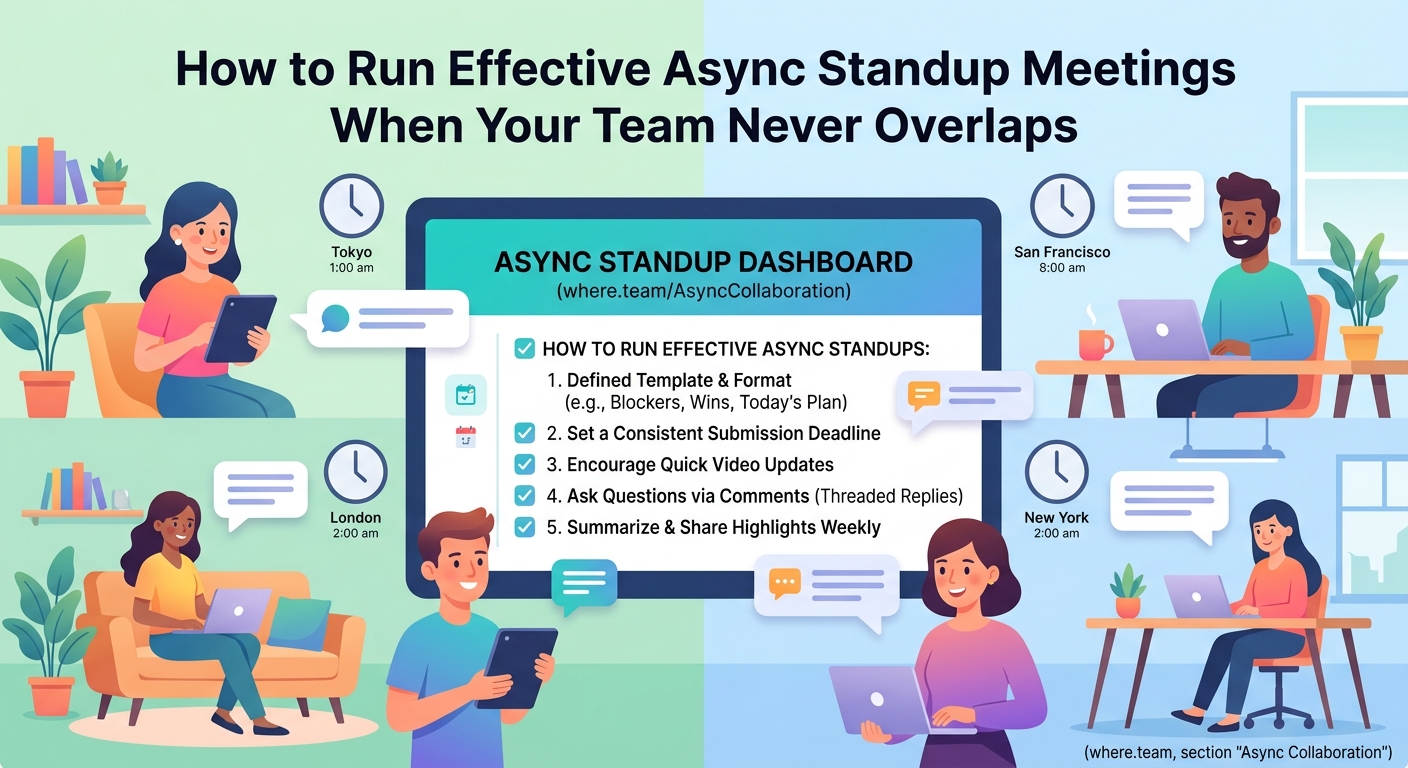
Not all asynchronous updates are created equal. A Slack channel where people randomly post “working on stuff today” doesn’t count as a standup. Neither does an email thread that devolves into conversations about unrelated topics.
Effective async standups have structure.
They happen at a consistent cadence. They follow a predictable format. They create accountability without micromanagement. And they generate documentation you can reference later.
The best async standups answer three core questions:
- What did you complete since the last update?
- What are you working on next?
- What’s blocking your progress?
These questions mirror traditional standup formats because they work. The difference is how and when people answer them.
Setting Up Your First Async Standup Process
Start with a clear schedule. Daily updates work well for fast-moving projects. Three times per week suits most product teams. Weekly check-ins fit research-heavy work or smaller teams.
Pick a submission deadline that works across your time zones. If your team spans San Francisco to Singapore, a deadline of “end of your workday” gives everyone flexibility. If you need tighter coordination, set a specific UTC time that falls during reasonable hours for most team members.
Here’s a step-by-step process that works:
- Choose your tool (Slack, dedicated standup software, shared documents, or project management platforms).
- Create a template everyone will use for their updates.
- Set a submission schedule and communicate it clearly.
- Designate who reads and responds to updates (usually the team lead or scrum master).
- Establish response time expectations for blockers or questions.
- Review the process after two weeks and adjust based on feedback.
The template matters more than you think. A good template makes writing updates fast and reading them faster.
The Template That Actually Gets Used
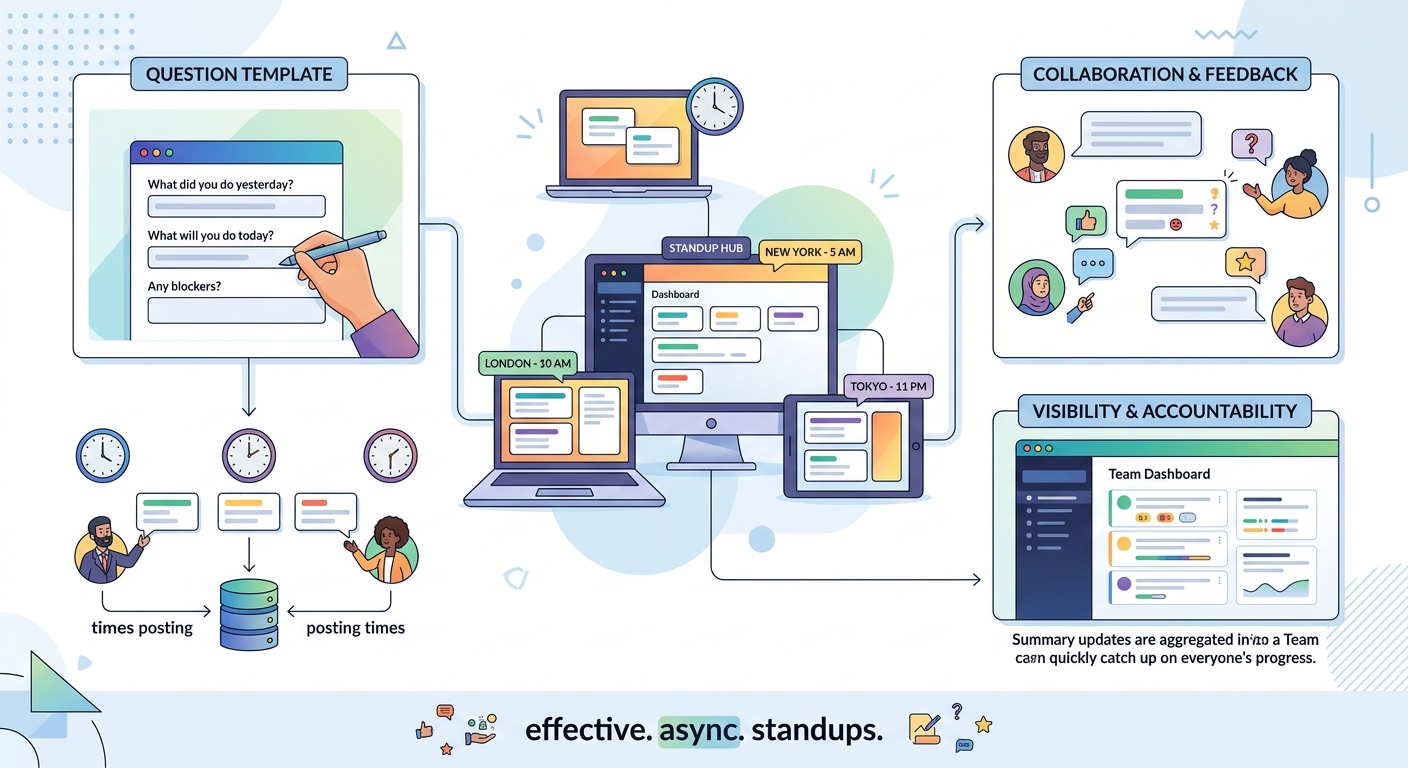
Your template should be simple enough that filling it out takes under five minutes but structured enough that updates are useful.
Here’s what works:
Yesterday (or since last update):
– Completed the authentication refactor
– Reviewed pull requests for the mobile team
– Fixed the production bug affecting checkout
Today (or next):
– Starting work on the payment gateway integration
– Pair programming session with Jamie on the API redesign
– Documentation for the new deployment process
Blockers:
– Waiting on design mockups for the settings page
– Need database credentials for the staging environment
Additional context (optional):
– Out Thursday for a medical appointment
– Available for pairing if anyone needs help with testing
This format is scannable. You can read five team members’ updates in under three minutes. You can spot blockers immediately. You can see who’s working on what without parsing paragraphs of prose.
Some teams add a mood indicator (emoji or simple rating) to catch early signs of burnout. Others include a “help wanted” section for tasks where they’d welcome collaboration. Customize based on your team’s needs, but keep the core structure intact.
Choosing the Right Tool for Async Standups
The tool matters less than consistency, but some options work better than others.
| Tool Type | Best For | Drawbacks |
|---|---|---|
| Slack/Teams bots | Teams already using these platforms | Updates get buried in channel history |
| Dedicated standup apps | Teams wanting analytics and tracking | Another tool to manage and pay for |
| Shared documents | Simple setups, small teams | No notifications, easy to forget |
| Project management tools | Teams tracking work in these already | Can feel like duplicate effort |
Slack bots like Geekbot or Standuply automate the collection process. They send reminders, gather responses, and post summaries to a channel. The automation reduces friction, but the channel format means updates from last week disappear into history.
Dedicated standup tools like Range or Status Hero provide better archiving and analytics. You can track patterns over time, see who’s consistently blocked, and generate reports. The tradeoff is adding another subscription and another login.
Shared documents work surprisingly well for small teams. A Google Doc with sections for each day lets everyone add their updates in a structured format. It’s searchable, free, and requires no new tools. The downside is no automatic reminders.
If your team already lives in Jira, Asana, or Linear, consider using comment threads or status updates within those tools. The updates sit right next to the work, reducing context switching.
7 async communication tools that actually work for global teams in 2024 covers more options if you need deeper comparisons.
Common Mistakes That Kill Async Standups
Most async standup failures come from poor implementation, not flawed concepts.
Mistake one: No clear deadline. When updates are due “whenever” they never get done. Set a specific time, even if it’s flexible across time zones.
Mistake two: Updates become status reports. If people are writing paragraphs about every detail, you’ve lost the standup format. Keep it brief. Three to five bullet points per section maximum.
Mistake three: No one reads them. If the team lead doesn’t respond to blockers or acknowledge updates, people stop caring. Async doesn’t mean asynchronous forever. Someone needs to read and react within a few hours.
Mistake four: Treating it like surveillance. Async standups aren’t productivity monitoring. They’re coordination tools. If your tone suggests you’re checking if people are working hard enough, trust erodes fast.
Mistake five: Ignoring blockers. The entire point of standups is surfacing problems early. If someone reports a blocker and gets no response for two days, the async format has failed.
How to Handle Blockers and Urgent Issues
Async standups work great for routine coordination. They struggle with time-sensitive problems.
Build an escalation path for urgent blockers. If someone’s completely stuck and can’t make progress, they shouldn’t wait for the next standup cycle. Create a clear protocol: use a specific Slack channel, tag certain people, or send a direct message with “BLOCKER” in the subject.
For non-urgent blockers, the person reading standup updates should respond within four hours during their workday. That response might be solving the problem, connecting the blocked person with someone who can help, or acknowledging the blocker and setting expectations for when it’ll be addressed.
“The best async teams treat blockers like production incidents. You don’t wait for the next standup to fix a site outage, and you shouldn’t wait to unblock a teammate who can’t move forward. Build the same urgency into your async processes.” – Engineering manager at a fully distributed company
Track recurring blockers. If the same person or same type of issue appears in standups repeatedly, you have a systemic problem that needs addressing outside the standup format.
Making Async Standups Part of Your Team Culture
The first few weeks feel awkward. People forget to submit updates. Some write novels while others submit one-word answers. The person reading them isn’t sure how much to respond.
This is normal.
Cultural change takes time. Keep the process consistent even when participation is spotty. Send gentle reminders. Share examples of great updates. Celebrate when someone surfaces a blocker that prevents a bigger problem.
After a month, async standups should feel routine. After three months, they become invisible infrastructure. Your team coordinates smoothly without thinking about it.
Some teams read standup updates during their morning coffee. Others review them at the end of their day to plan tomorrow. Find a rhythm that works for you, but make reading them a habit, not a chore.
The complete guide to building a documentation-first culture for distributed teams explains how async standups fit into broader documentation practices.
When to Supplement Async Standups with Synchronous Time
Async standups handle daily coordination beautifully. They don’t replace all real-time interaction.
You still need synchronous time for:
- Complex problem-solving where back-and-forth discussion beats written exchanges
- Brainstorming sessions where ideas build on each other in real time
- Relationship building that happens naturally in conversation but feels forced in text
- Sensitive conversations about performance, conflicts, or major changes
The goal isn’t eliminating synchronous meetings entirely. It’s being intentional about when you need them. If your async standups are working, you’ll find you need fewer emergency sync-ups to figure out what everyone’s doing.
Many distributed teams pair daily async standups with weekly synchronous team meetings. The async updates handle routine coordination. The weekly meeting tackles bigger discussions, planning, and team connection. This combination respects time zones while maintaining cohesion.
Why your remote meetings feel exhausting and how to fix zoom fatigue helps you make the synchronous time you do have more effective.
Measuring Whether Your Async Standups Are Working
Good metrics for async standup success:
- Participation rate: Are 90% or more of team members submitting updates consistently?
- Blocker resolution time: How long between someone reporting a blocker and getting help?
- Update quality: Are updates specific and actionable, or vague and generic?
- Time to completion: Does filling out the standup take under five minutes?
- Team sentiment: Do people find the updates useful, or do they feel like busywork?
Track these informally for the first month. If participation is low, the process might be too complicated or poorly timed. If updates are vague, your template might need work. If blockers sit unaddressed, you need better response protocols.
Survey your team after six weeks. Ask what’s working, what’s annoying, and what they’d change. Async standups should make coordination easier, not add bureaucracy.
Adapting the Format for Different Team Types
Engineering teams often add technical details like pull request links or deployment status. Design teams might include links to work-in-progress mockups. Marketing teams could note campaign metrics or content publication dates.
The three-question core stays the same. The specifics adapt to your work.
Small teams (under five people) can often get away with less formal structures. A shared document or simple Slack thread works fine. Large teams (over fifteen) benefit from dedicated tools that aggregate updates and make them searchable.
Cross-functional teams need careful template design. A standup format that works for developers might not work for customer support. Find common elements everyone can answer, then allow optional sections for role-specific details.
Handling Time Off and Irregular Schedules
People take vacations. They get sick. They have appointments. Your async standup process should handle this gracefully.
Encourage team members to post brief “out of office” updates on days they’re not working. A simple “Off today, back tomorrow” in the standup channel keeps everyone informed without requiring detailed explanations.
For longer absences, have team members post a final update before they leave noting how long they’ll be gone and who’s covering their work. When they return, a “back from vacation” update helps them reintegrate smoothly.
Some teams skip standups entirely on holidays recognized across the company. Others maintain the practice but with reduced expectations. Choose based on your team’s needs and project timelines.
Connecting Async Standups to Broader Team Practices
Async standups work best as part of a larger async-first culture. If your team expects immediate responses to every message, requires constant availability, and schedules meetings without checking calendars first, async standups will feel like another burden.
But if you’re building a team that values deep work, respects time zones, and defaults to documentation, async standups become a natural extension of how you already operate.
They create a searchable record of who worked on what. They surface patterns in how work flows through your team. They provide context for new team members trying to understand project history.
When someone asks “what happened with that feature we shipped in March?” you can search standup archives and reconstruct the timeline. When you’re writing performance reviews, you have months of concrete updates showing what each person accomplished.
This documentation compounds over time. Your async standups become an artifact of how your team works, not just a coordination mechanism.
Transitioning from Synchronous to Async Standups
If your team currently does live standups, don’t flip the switch overnight. Run both formats in parallel for two weeks.
Keep your synchronous standup but make it optional. Start the async standup process and ask everyone to participate. After two weeks, compare the two approaches. Which format gave you better information? Which respected people’s time more effectively? Which created better documentation?
Most teams find the async version wins on all three counts. The synchronous standup becomes optional attendance for people who want face time, while the async standup handles actual coordination.
Some team members will resist the change. They like seeing faces. They enjoy the routine of a daily call. They worry written updates will feel impersonal.
These concerns are valid. Address them by maintaining other synchronous touchpoints. A weekly team call for connection and discussion. Regular one-on-ones between managers and reports. Optional coffee chats for people who want casual conversation.
Async standups replace synchronous status updates, not all human interaction.
When Async Standups Aren’t the Right Choice
Async standups work brilliantly for distributed teams with minimal time zone overlap. They’re less necessary for teams that already share working hours.
If your entire team is online 9 AM to 5 PM in the same time zone, a traditional fifteen-minute standup might be more efficient than written updates. The 15-minute remote standup guide covers how to run these effectively.
Async standups also struggle during crisis situations. If you’re dealing with a production outage, a security incident, or a major deadline crunch, real-time communication usually works better. The async format is for normal operations, not emergencies.
Very small teams (two or three people) might find async standups feel like overkill. A simple shared task list or daily Slack check-in could be sufficient.
Know when the tool fits the problem. Async standups solve specific coordination challenges for distributed teams. They’re not a universal solution for all team communication.
Making It Stick for the Long Term
The teams that succeed with async standups six months in are the ones that treat them as infrastructure, not an experiment.
They build standup submission into their daily routines. They respond to blockers consistently. They reference standup archives when planning sprints or reviewing projects. They update their templates based on what the team actually needs to know.
They also know when to skip them. If the entire team is at an in-person retreat, daily async standups are silly. If you’re between projects and work is genuinely slow, reduce the frequency rather than forcing people to write “nothing new” updates.
Flexibility within structure is the goal. The structure ensures coordination happens. The flexibility ensures it doesn’t become mindless bureaucracy.
Review your async standup process quarterly. What’s working? What’s frustrating? What could be simpler? Continuous small improvements keep the practice relevant as your team and projects evolve.
Your Team Can Coordinate Without Overlapping
Async standup meetings prove that effective coordination doesn’t require everyone online at the same time. With clear templates, consistent timing, and genuine engagement with the updates, your distributed team can maintain alignment across any number of time zones. The written format creates documentation, respects individual schedules, and surfaces blockers without forcing anyone to join calls at unreasonable hours. Start with a simple three-question template, pick a tool your team already uses, and commit to the process for at least a month. You’ll find that the rhythm becomes natural, the updates become useful, and your team coordinates smoothly without the timezone gymnastics that make traditional standups impossible.
