
Your engineering team is spread across Austin, Berlin, and Manila. Your designer works from Lisbon. Your product manager splits time between New York and Miami. Everyone works from home most days, but you need real workspace options when they travel, want a change of scenery, or need to meet clients.
Managing coworking spaces for remote teams isn’t about locking everyone into a single location. It’s about building a flexible network of workspaces that your team can access wherever they happen to be.
Coworking spaces for remote teams work best when you build a flexible network across multiple cities, negotiate bulk credits instead of fixed memberships, prioritize spaces with strong meeting room technology, and create clear booking processes. Focus on proximity to where team members actually live, reliable internet, and professional meeting facilities rather than trendy amenities.
Why Remote Teams Need Coworking Access
Home offices solve many problems. They eliminate commutes, reduce overhead, and give people control over their environment.
But they don’t solve everything.
Your developers might need a quiet space when their apartment building starts construction. Your sales team needs professional meeting rooms for client calls. Your new hire in Denver doesn’t know anyone yet and feels isolated working alone every day.
Coworking spaces fill these gaps without forcing anyone back to a traditional office.
The challenge is managing access across multiple cities without creating administrative chaos or blowing your budget on unused memberships.
Building Your Coworking Network Strategy
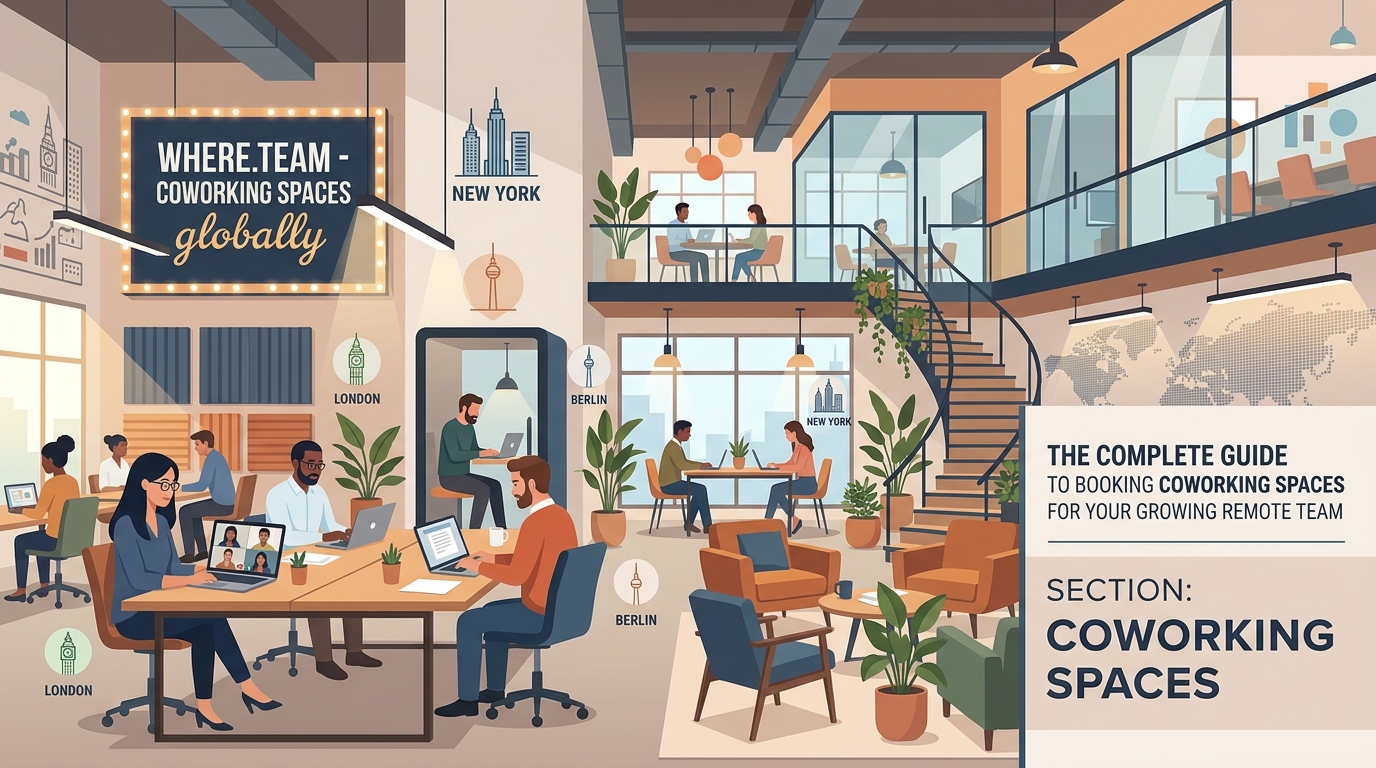
Start by mapping where your team actually works.
Pull your team roster and note each person’s primary location. Don’t assume someone lives where they were hired. Remote workers move. A lot. Your engineer hired in San Francisco might now be in Portland.
Ask team members which cities they visit regularly. Someone might spend two weeks per quarter with family in another state. Your VP of Sales might rotate through three cities monthly for client meetings.
This mapping reveals your actual workspace needs, not your assumed needs.
Identifying High-Priority Cities
Rank cities by three factors:
- Number of team members living there full-time
- Frequency of team member visits (business or personal)
- Client meeting requirements
A city with one team member who hosts client meetings weekly ranks higher than a city with three team members who never meet clients and prefer working from home.
Focus your initial coworking investments on the top three to five cities. You can expand later.
Choosing the Right Coworking Model
Different team structures need different coworking approaches.
| Team Structure | Best Coworking Model | Why It Works |
|---|---|---|
| Fully distributed, no hubs | Multi-network pass (WeWork All Access, Industrious Everywhere) | Single membership covers multiple cities |
| 2-3 city clusters | Dedicated desks in hub cities, day passes elsewhere | Cost-effective for regular users, flexible for travelers |
| Occasional meetups | Meeting room credits only | Pay only for actual collaboration space |
| Hybrid with optional office days | Bulk day pass credits | Team members book as needed without monthly commitment |
The multi-network model makes sense if your team regularly works from coworking spaces. If your team mostly works from home and only needs occasional workspace access, you’re better off with day pass credits.
Understanding Pricing Models
Coworking pricing falls into five categories:
- Day passes: $25-$50 per day, no commitment
- Part-time memberships: 5-10 days per month, $150-$300
- Full-time dedicated desks: $300-$600 per month per person
- Private offices: $500-$2,000 per month depending on size and city
- Meeting room credits: $25-$100 per hour
Most remote teams waste money on dedicated desks that sit empty 60% of the time.
Calculate actual usage before committing. If someone uses a coworking space eight days per month, a part-time membership beats day passes. If they use it three days per month, day passes cost less.
Evaluating Coworking Spaces for Distributed Teams

Not all coworking spaces work well for remote teams.
Visit or research each space with specific criteria. Send this checklist to team members evaluating local options:
- Internet speed (test actual download/upload, not advertised speeds)
- Meeting room availability and booking process
- Video call infrastructure (soundproof booths, good lighting, camera-friendly backgrounds)
- Proximity to public transit or parking
- Operating hours (some close at 6 PM, problematic for global teams)
- Guest policy for team meetups
- Kitchen facilities and coffee quality
The last point sounds trivial but matters. Bad coffee means your team leaves for coffee runs, defeating the purpose of having workspace.
Meeting Room Technology Requirements
Remote teams need different meeting room features than traditional companies.
Standard conference rooms have a table and a TV. That doesn’t work for hybrid meetings where half the team joins virtually.
Look for meeting rooms with:
- Wide-angle cameras that capture everyone at the table
- Ceiling or boundary microphones that pick up all speakers
- Large displays positioned for both in-room and remote participants
- Reliable screen sharing via HDMI and wireless options
- Whiteboard cameras or digital whiteboards
15 coworking spaces with the best meeting room technology for virtual-first teams covers specific spaces that get this right.
Setting Up Your Booking System
Create a simple process for team members to book and expense coworking time.
Step-by-Step Booking Process
-
Establish a monthly budget per person: Start with $100-$200 per month depending on role and location. Adjust based on actual usage after three months.
-
Choose your booking method: Use a shared spreadsheet, dedicated Slack channel, or workspace management software. The method matters less than consistency.
-
Set approval thresholds: Day passes under $40 need no approval. Multi-day bookings or meeting rooms require manager sign-off.
-
Create a preferred vendor list: Negotiate rates with 2-3 coworking networks. Team members book from this list first, request exceptions for special needs.
-
Track and review quarterly: Pull expense reports, identify patterns, adjust budgets and vendor relationships.
This process prevents both micromanagement and budget chaos.
Negotiating Multi-City Coworking Deals
Coworking networks want your business. Use that leverage.
Contact sales teams at major networks (WeWork, Regus, Spaces, Industrious) and explain your situation. You have 15 team members across eight cities who need flexible access.
Ask for:
- Bulk credit packages with rollover (500 day-pass credits valid for 12 months)
- Discounted meeting room rates for members
- Waived setup fees
- Flexible contracts with 60-day cancellation
Smaller regional coworking spaces often negotiate better than large chains. A local space in Portland might give you 20% off standard rates for a six-month commitment covering three team members.
“We saved 40% by negotiating bulk credits instead of individual memberships. Our team books workspace as needed, and unused credits roll over. It eliminated the guilt of paying for empty desks.” – Sarah Chen, Operations Director at a 25-person distributed startup
Managing the Hybrid Office Experience
Some team members will love coworking spaces. Others will try it once and never return.
That’s fine.
The goal isn’t forcing everyone into coworking spaces. It’s providing options for those who benefit.
Track which team members use coworking regularly and adjust budgets accordingly. Your senior developer who goes to a coworking space three days per week might need a dedicated desk. Your designer who goes once per month just needs day pass access.
How to design a hybrid work schedule that actually works for your team helps structure these flexible arrangements.
Creating Coworking Guidelines
Document clear expectations:
- Booking notice: Reserve meeting rooms at least 48 hours ahead
- Cancellation policy: Cancel unused bookings 24 hours prior
- Expense submission: Submit receipts within one week
- Guest policy: Bringing clients or candidates requires approval
- Security: No confidential client data on shared networks without VPN
These guidelines prevent confusion and protect your company.
Handling Team Meetups and Offsites
Coworking spaces shine for team meetups.
Renting meeting rooms for a three-day team gathering beats booking hotel conference rooms. Coworking spaces cost less, offer better technology, and feel more casual.
How to choose the perfect coworking space for your remote team’s quarterly meetup walks through selecting venues for larger team events.
Book spaces that offer:
- Multiple room sizes for breakout sessions
- All-day access without hourly charges
- Kitchen access for catered meals
- Outdoor space or lounge areas for informal conversations
- Easy access from airports or hotels
How to plan your first company retreat without breaking the budget covers the full planning process beyond just the workspace.
Solving Common Coworking Challenges
Challenge: Inconsistent Quality Across Cities
Your Austin coworking space is perfect. Your Manila option has terrible internet.
Solution: Maintain a rated list of approved spaces. After each visit, team members rate internet, noise level, and meeting room quality. Drop spaces that consistently score below 3 out of 5.
Challenge: Last-Minute Meeting Room Needs
Your sales team closes a meeting with a prospect tomorrow. No meeting rooms available.
Solution: Identify backup options in each major city. Keep a list of hotel lobbies with good wifi, quiet cafes with meeting areas, or coworking spaces with walk-in day passes.
Challenge: Budget Overruns
Three team members exceeded their coworking budget two months in a row.
Solution: Review why. Are they using coworking because their home setup is inadequate? Consider a one-time home office equipment budget instead. Are they meeting clients frequently? Adjust their budget permanently.
Measuring Coworking ROI
Track these metrics quarterly:
- Total coworking spend per team member
- Usage rate (credits used vs. credits purchased)
- Team satisfaction scores
- Client meeting success (for client-facing roles)
- Retention (do team members in cities with coworking access stay longer?)
The last metric matters more than most companies realize. Isolation drives remote worker turnover. Access to professional workspace and occasional in-person collaboration reduces that isolation.
Day passes vs monthly memberships helps optimize your spending based on actual usage patterns.
Alternative Workspace Options
Coworking spaces aren’t your only option.
Some team members prefer:
- Library meeting rooms: Free or cheap, quiet, professional
- University coworking spaces: Often open to alumni or community members
- Hotel lobby workspaces: Increasingly common, no membership required
- Coffee shop chains with meeting rooms: Starbucks Reserve locations, local cafes with private spaces
Build a diverse network. Your team in smaller cities might not have quality coworking options but could access other professional workspaces.
Making It Work Long-Term
Start small. Pick three cities where you have the most team members. Negotiate trial agreements with local coworking spaces. Run a three-month pilot.
Collect feedback monthly. What’s working? What’s frustrating? Which spaces do people actually use?
Adjust based on real usage, not assumptions.
After six months, you’ll have data showing whether coworking access reduces isolation, improves productivity, or helps with recruiting. You’ll know which cities justify dedicated memberships and which need only day pass access.
The hidden costs of hybrid work and how to budget for them helps plan for the full financial picture beyond just coworking fees.
Building Workspace Flexibility Into Your Culture
The best coworking strategy supports how your team actually works, not how you think they should work.
Some people thrive working from home every day. Others need the structure and social interaction of a coworking space. Most fall somewhere in between, wanting options depending on their task, mood, or life circumstances.
Provide those options without judgment. Make booking workspace as easy as booking a meeting room would be in a traditional office. Trust your team to use resources responsibly.
Your job isn’t to maximize coworking space utilization. It’s to remove barriers so your team can do their best work, wherever that happens to be.
