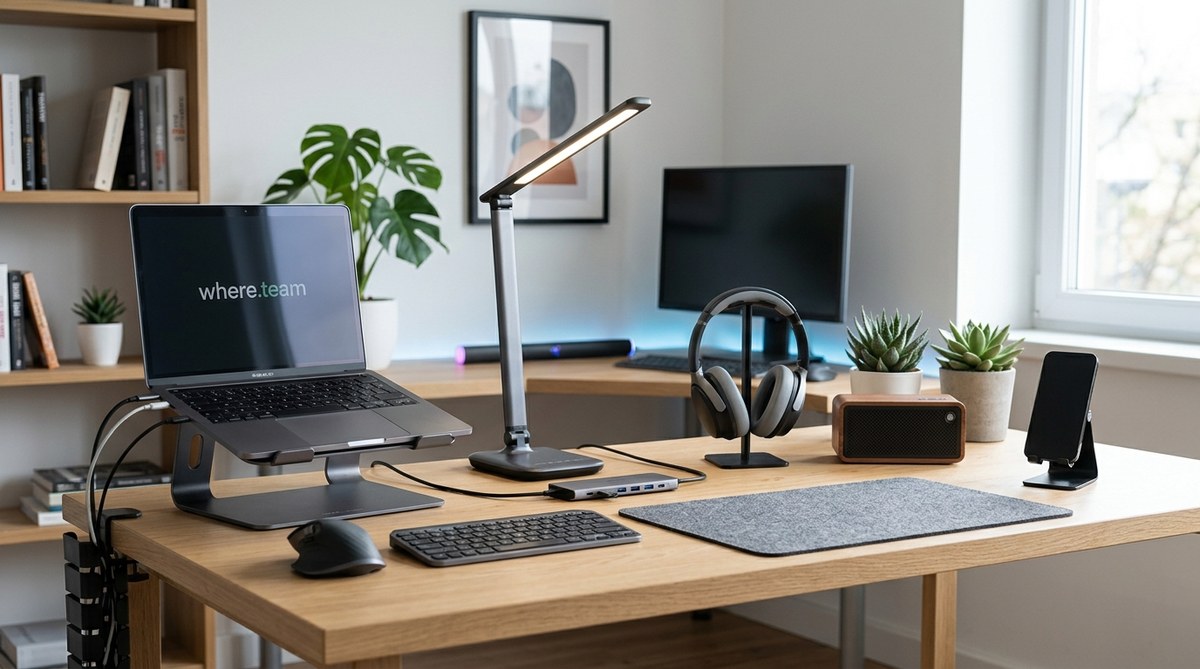
You do not need a huge budget to build a home office that works for you. In fact, some of the best productivity upgrades cost less than a pizza delivery. The trick is knowing which cheap gadgets actually earn their spot on your desk. When you work from home, small annoyances like a dim lamp, a tangled cable, or a tired wrist can slowly drain your energy. A well chosen tool under fifty dollars can turn those frustrations around and make your day feel smoother.
The right home office gadget under $50 can transform your comfort, focus, and productivity. Small purchases add up to big improvements when you pick items that solve real problems. Whether you need better lighting, quieter typing, or simpler cable management, this guide helps you choose wisely. Avoid waste and create a workspace that supports your best work without draining your wallet. For remote workers and home office fans, these affordable upgrades deliver huge returns.
Why Small Upgrades Matter for Remote Workers
A single well placed gadget can change how you feel at the end of a workday. Here is what a small investment can do for you:
- Reduce physical strain – An ergonomic mouse pad or a monitor riser can ease shoulder and wrist pain.
- Improve audio quality – A simple clip on microphone makes your voice sound clear on video calls, so others listen better.
- Cut down on clutter – Cable clips and desk trays keep your space organized, which helps you focus.
- Boost lighting – A proper desk lamp reduces eye strain and helps you look more professional on camera.
Small changes like these add up. Over time, you will sit more comfortably, hear and be heard better, and waste less time searching for lost items.
How to Choose the Right Gadget for Your Setup
Before you click that buy button, take a moment to match the gadget to your real needs. Follow these steps:
-
Identify your biggest annoyance. What bothers you most during the day? Is it the glare on your screen, the noise from outside, or the way your chair slouches? Pick one problem to solve first.
-
Set a strict budget under $50. This forces you to look for good value, not just the cheapest option. Many high quality items land right around $20 to $40.
-
Read reviews from people with similar setups. A webcam that works well on a Mac might not play nicely with a Windows laptop. Check recent reviews to avoid compatibility surprises.
-
Look for multi purpose gear. A monitor stand that also stores your keyboard underneath saves space and money.
-
Check return policies. If the gadget does not improve your day, send it back. Good retailers make this easy.
Categories of Gadgets Worth Your Money
Not all gadgets are created equal. Here are the categories that deliver the most bang for your buck.
- Lighting – Good lighting reduces eye fatigue and makes you look awake on camera. Look for lamps with adjustable brightness and color temperature.
- Ergonomics – Wrist rests, footrests, and monitor risers can prevent long term issues. They are cheap compared to doctor visits.
- Audio – A basic USB microphone or a pair of wired earbuds with a good mic can transform your meeting presence.
- Organization – Cable management clips, desk trays, and drawer dividers keep your space tidy without costing much.
- Comfort – Seat cushions, lumbar supports, and even a small fan can make a big difference in how you feel after hours at your desk.
Each category can solve a specific pain point. Pick the one that annoys you most today.
Common Mistakes When Shopping for Budget Office Gear
Buying cheap gadgets can sometimes feel like throwing money away. Avoid these frequent errors.
| Mistake | Why It Happens | Smarter Approach |
|---|---|---|
| Buying gadgets you do not actually need | You get excited by flashy ads or Amazon suggestions | Wait 24 hours before buying. Ask yourself how often you will use it. |
| Ignoring build quality | You focus only on the price tag | Look for items with metal construction or silicone grips. They last longer. |
| Choosing style over function | The cool looking gadget catches your eye | Read reviews for real world performance. A sleek lamp that casts harsh shadows is useless. |
| Forgetting about cable management | You buy a new gadget and ignore the extra cords | Plan where everything will plug in. A power strip with USB ports can help. |
Keep these in mind, and every dollar you spend will work harder for you.
Expert Advice on What Remote Workers Overlook
We asked an ergonomics consultant who works with distributed teams about the most overlooked area in home offices. Here is what she shared.
The biggest mistake I see is people ignoring their audio setup. They spend hours on video calls with tinny laptop speakers and a built in mic that picks up every dog bark. A $30 USB microphone or a decent headset with a boom mic can make you sound like a radio host. Your coworkers will thank you, and you will feel more confident speaking up in meetings. Also, do not underestimate the power of a simple desk lamp. Good lighting not only reduces eye strain but also makes you look more engaged on camera.
Use that advice when you decide where to spend your next fifty dollars.
Our Handpicked Recommendations
We have tested dozens of gadgets under $50 to find the ones that truly make a difference. For a full list of our top picks, check out our dedicated article on 10 home office gadgets under $50 that will change your workday. It includes specific models, pricing, and real user feedback.
In the meantime, here are three categories where you can start:
- Lighting – Look for a desk lamp with an adjustable arm and a USB port for charging. Many good options sit around $35.
- Audio – A clip on lavalier microphone that plugs into your phone or laptop costs about $20 and cleans up your sound instantly.
- Cable management – A pack of adhesive cable clips and a small cable sleeve will set you back less than $10 and save you from that daily tangle.
If you feel overwhelmed by choices, start with one gadget from each category over the next few months. Your home office will gradually become a place where you can do your best work without spending a fortune.
Build Your Home Office Without the Price Tag
You do not need a fancy standing desk or a top of the line webcam to work effectively from home. A handful of smart, affordable gadgets can remove the small frictions that hold you back. Start by picking the one thing that bothers you most right now. Maybe it is the glare on your screen, the echo on your calls, or the clutter at the edge of your desk. Solve that with a single purchase under $50. Then move to the next.
Over time, you will build a workspace that supports your health and productivity without breaking your budget. And when your team sees you on video with clear audio and good lighting, they will wonder what you changed. Tell them it was just a few smart choices and a couple of small boxes. For more guidance on making your remote setup even better, read our guide on 7 ergonomic mistakes remote workers make and how to fix them today and learn how to build a home office that actually boosts productivity. Your wallet and your body will thank you.
