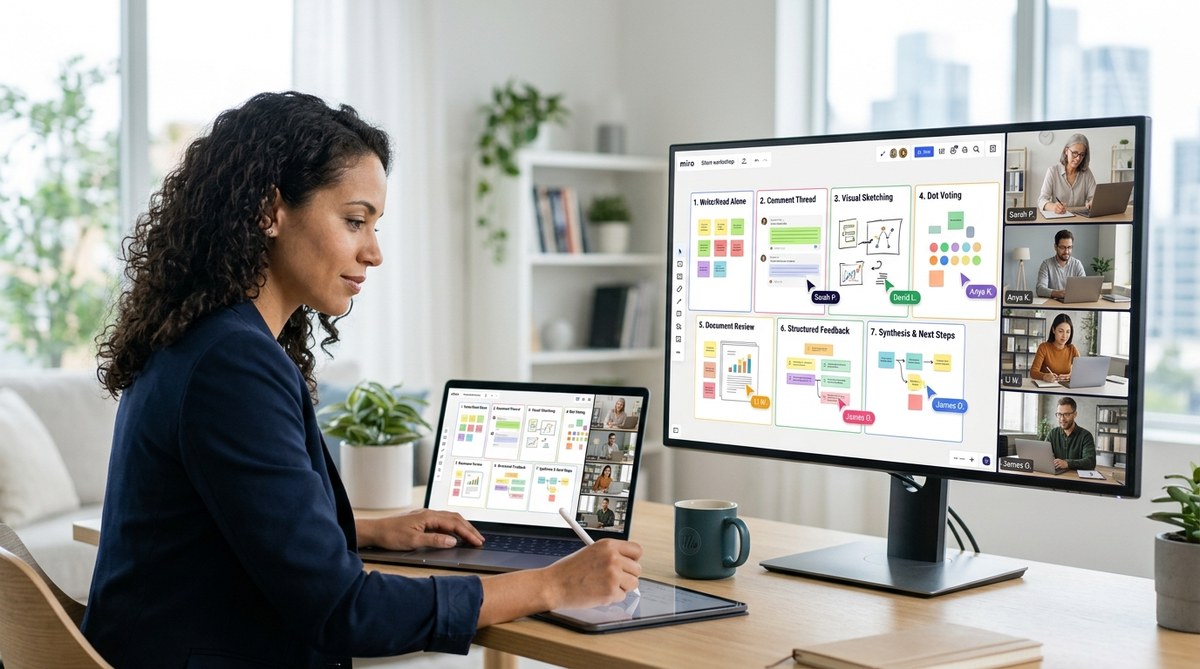
Your team is scattered across time zones. Every meeting starts with four minutes of “how was your weekend?” and ends with someone apologizing for talking too much. The chit chat feels human, but it drains energy. You know the problem. The solution is not fewer meetings. It is better meeting structures.
Silent meeting formats let your team prepare, share, and decide without the pressure to fill every silence. They give introverts a seat at the table and let extroverts channel their energy into written insights. When your team is remote, silence is not awkward. Silence is a tool.
Silent meeting formats transform your remote team’s focus by replacing real time chatter with structured written contributions. This article breaks down seven proven formats like the Read Ahead, the Async Brain Dump, and the Silent Decision Sprint. You will learn a step by step plan to run your first silent meeting, avoid common mistakes, and build a culture where every voice gets heard without the fatigue of endless video calls. Apply one format this week and watch your team reclaim hours of deep work.
What Are Silent Meeting Formats?
A silent meeting format is a structured approach where participants contribute ideas, feedback, or decisions without relying on spoken discussion during a scheduled call. Instead, they write, read, and react asynchronously. Some formats use a shared document. Others use a silent period at the start of a video meeting. The goal is always the same: let the content lead, not the loudest person.
Silent meetings are not about punishing small talk. They are about protecting focus. When your team knows they can prepare ahead of time, they show up ready. The meeting becomes a review session, not a discovery session.
Why Your Remote Team Needs Silent Meetings
The benefits go beyond reducing Zoom fatigue. Here are the biggest wins:
- Inclusion by default. Introverts, non native speakers, and people with processing differences finally get equal airtime. Writing removes the race to speak.
- Better documentation. Every silent meeting produces a written record. No more “did anyone take notes?” You already have them.
- Respect for time zones. When you use an async silent format, teammates in Tokyo or Berlin can contribute on their own schedule.
- Faster decisions. A written proposal can be reviewed in 15 minutes. A vocal meeting often takes 45 minutes for the same outcome.
- Less context switching. Team members can process information when they have mental energy, not when a calendar notification tells them to.
If your team struggles with meeting overload, you might also find practical advice in our guide on why your remote meetings feel exhausting.
5 Steps to Implement Your First Silent Meeting
You do not need to overhaul everything overnight. Follow these five steps to run a silent meeting that works.
- Choose one format. Pick the simplest format from the list below. The Read Ahead is a great starting point.
- Set clear expectations. Send a message 24 hours before the meeting explaining the format. Say “This meeting will be silent. Please read the document before we meet and add your comments.”
- Prepare a structured document. Use a template with sections for updates, questions, and decisions. Keep it tight. No one reads a novel.
- Give async time. Let people contribute for 30 minutes before the meeting window. Then use the live slot only to discuss exceptions or blocked items.
- Debrief after. Ask the team how it felt. Adjust the format based on feedback.
You can apply this process to almost any regular meeting. For your daily stand up, consider our complete guide on the 15 minute remote stand up.
The 7 Most Effective Silent Meeting Formats for 2026
Each format below targets a different meeting type. Pick the one that matches your team’s biggest pain point.
1. The Read Ahead
Everyone receives a document with the agenda, data, and proposed decisions 24 hours in advance. They read and comment asynchronously. The live meeting (if any) focuses only on unresolved questions. Best for status updates and review meetings.
2. The Async Brain Dump
A shared board or document is opened for a fixed period (e.g., 48 hours). Team members post ideas, constraints, or data points without discussion. After the window closes, the facilitator synthesizes. Best for brainstorming and problem solving.
3. The Silent Decision Sprint
The facilitator writes a clear decision question with supporting evidence. Team members reply with “approve,” “reject,” or “need clarification” along with one sentence of reasoning. A timer runs. No conversation allowed. Best for low risk operational decisions.
4. The Written Stand Up
Instead of a live video call, each person posts their update in a team channel or document: what they did yesterday, what they will do today, and what blocks them. Others react with emojis or comments. Best for daily check ins.
5. The Silent Meeting Kickoff
The meeting starts with five minutes of silent individual reading of a shared slide or doc. Then the facilitator highlights key points. Then the group speaks only about what needs vocal discussion. Best for project kickoffs or presentations.
6. The Asynchronous Retro
Create a document with sections for “what went well,” “what could improve,” and “action items.” Team members fill it out over 72 hours. The retrospective conversation becomes a written reflection with no time pressure. Best for sprint retrospectives.
7. The Silent Parking Lot
During any meeting, participants type questions or comments into a shared doc instead of interrupting. The facilitator addresses them at the end. This format can be mixed with any other meeting structure. Best for large all hands or workshops.
For teams that need to brainstorm across time zones, we wrote a dedicated article on running effective brainstorming sessions when your team is scattered across 6 time zones.
Silent Meeting Techniques vs Common Mistakes
Even great formats fail when they are executed poorly. This table shows what to do and what to avoid.
| Technique | Common Mistake | Better Approach |
|---|---|---|
| Set a reading deadline | Sharing the doc right before the meeting | Send at least 24 hours in advance |
| Assign a facilitator | Letting everyone talk freely | The facilitator owns the document and keeps it structured |
| Use a template | Writing a wall of text | Break into sections with headings and bullet points |
| Encourage concise replies | Allowing long paragraphs | Set a character limit or require one sentence per point |
| Respect async windows | Expecting immediate responses | Give a clear deadline and do not ping people |
| Close the loop | Forgetting to summarize | Send a one page recap after the silent window closes |
“When we switched to the Read Ahead format for our weekly team sync, we cut meeting time from 60 minutes to 20. More importantly, our junior developer finally felt comfortable sharing her concerns. She would never speak up in a loud room, but she writes brilliant comments.” — Sarah L., Engineering Manager at a fully distributed startup.
How to Choose the Right Format
Not every format works for every team. Here is a quick decision framework:
- If your team is overloaded with status updates, try the Written Stand Up.
- If decisions are stuck, use the Silent Decision Sprint.
- If brainstorming feels chaotic, go with the Async Brain Dump.
- If your all hands meeting has too many side conversations, add a Silent Parking Lot.
- If you need to build habit slowly, start with the Silent Meeting Kickoff.
You can also mix formats. Some teams use a Read Ahead for the first half of a meeting and a Silent Parking Lot for the second half.
Measuring Success with Silent Meetings
After two weeks, ask your team these questions:
- Do you feel more prepared before meetings?
- Did you contribute more or less than usual?
- Is the written record useful for future reference?
- Would you rather keep this format or go back to vocal only?
Track the average meeting duration and the number of decisions made per meeting. You will likely see a drop in time spent and a rise in quality outcomes. For tools that support this workflow, check our list of 7 async communication tools that actually work for global teams in 2026.
When Silent Meetings Are Not Enough
Silent meeting formats are powerful, but they do not replace every interaction. Use vocal meetings for:
- High stakes negotiations
- Personal feedback conversations
- Team bonding and culture building
- Quick troubleshooting that requires back and forth
The goal is not to eliminate all real time talk. It is to eliminate unnecessary talk. Think of silent formats as a filter. They let the important vocal conversations shine.
If your team is hybrid, you might also need to adapt formats for in person moments. Our guide on building trust in hybrid teams when half your staff works remotely can help.
Your Turn: Start With One Silent Meeting This Week
You do not need a full rollout. Pick one recurring meeting that feels like a time sink. Apply the Read Ahead format. Send the document tomorrow. See how your team responds.
The first time you run a silent meeting, it will feel strange. That is normal. People might ask “are we just going to sit here?” Stick with it. After a few sessions, the silence will feel productive. Your team will have more time and less noise.
Silent meeting formats are not a trend. They are a practical answer to the biggest problem remote teams face: too much talk, not enough thought. Give your team the gift of focused silence.
