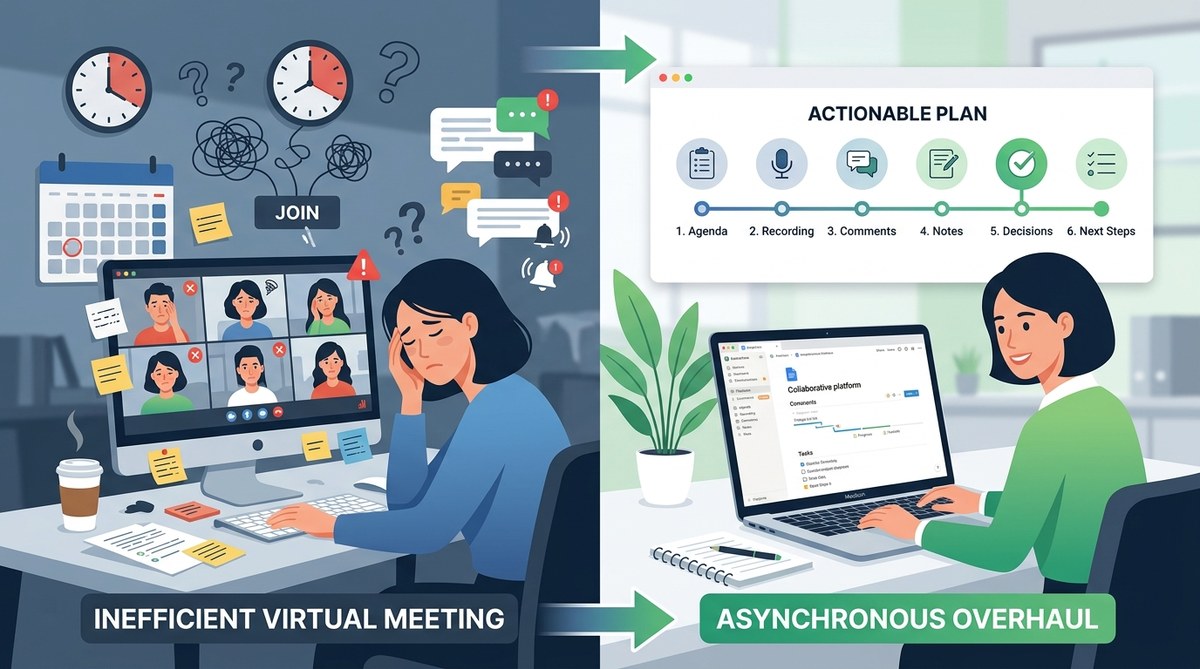
Your calendar is full of recurring meetings, but the real work happens in the gaps between them. You sit through status updates that could have been an email, watch teammates multitask with cameras off, and leave every call wondering what was actually decided. This is meeting fatigue, and it is a sign that your remote team’s communication rhythm is out of balance. The fix is not more meetings. It is fewer of them, and a smarter use of asynchronous communication.
Asynchronous communication is not about eliminating human connection. It is about matching the right tool to the right task. When you notice specific signs like repeated attendees, low engagement, or delayed decisions, it is time to move routine updates and simple decisions to async channels. This guide walks through six clear signs and gives you a practical plan to make the switch without losing team cohesion.
The Six Signs Your Team Is Ready for an Async Shift
Not every meeting is bad. Some conversations need real-time energy. But many meetings have become habits rather than necessities. Watch for these six signs in your team.
1. The Same Information Gets Repeated Every Week
You start a Monday standup, and someone says “still working on the same ticket.” The project manager reads out tasks that are already visible in your project management tool. The team sits through a round-robin update that adds nothing new. When the primary purpose of a meeting is to restate what is already documented, you are wasting time. Async standups let team members post their updates in a shared channel, freeing the live slot for actual problem solving.
2. Attendance Is Optional and Inconsistent
Three people join late. Two leave early. One person never shows up but watches the recording later. If your team treats your meeting as optional background noise, they are telling you something. They do not feel the meeting is essential to their work. This is a clear sign that the content of the meeting does not require their live presence. Async communication respects everyone’s schedule by letting them engage when they are ready.
3. Decisions Take Longer After the Meeting Than During It
You schedule a one-hour call to decide on a new tool. Everyone agrees in principle. Then the follow-up emails start. People change their minds. New context appears. The decision drags on for another week. This happens because live meetings pressure people into agreement without giving them time to think. Async decision-making allows team members to process information, ask clarifying questions, and vote with full context.
4. Your Team Spans More Than Three Time Zones
If you have people in New York, London, and Sydney, there is no good time for a meeting. Someone is always waking up at 6 a.m. or staying late past 8 p.m. That person will be tired, distracted, and less productive. Forcing everyone into the same window is unfair and unsustainable. Async workflows are the only way to build a truly global team without burning out your most distant colleagues.
5. The Meeting Recording Has More Views Than Live Attendees
You check the analytics after a company all-hands meeting. Twelve people attended live, but forty people watched the recording later. That is not a failure of attendance. It is a sign that your team prefers to consume information on their own terms. If the recording is the primary way people get the message, you might as well make the original format async.
6. You Feel a Sink of Dread Before Each Call
This one is personal. If you, as the leader, feel tired before the meeting even starts, your team probably feels the same way. Meeting fatigue is contagious. When the energy is low and the motivation is missing, forcing a live conversation will not create connection. It will create resentment. Async communication can restore the energy for the moments that truly need everyone together.
How to Build Your Async Overhaul in Five Steps
Switching to async does not happen overnight. It requires a deliberate process. Here is a numbered list of steps to guide your team through the transition.
-
Audit your current meeting calendar. Go through every recurring meeting for the next two weeks. Label each one as “must be live,” “could be async,” or “should be canceled.” Be honest. Most teams find that 40 to 60 percent of their meetings can move to async.
-
Choose your async channels. Decide where updates, questions, and decisions will live. A team communication platform like Slack or Teams works for short updates. A project management tool like Asana or Trello handles task status. A dedicated doc or wiki works for longer proposals. Do not scatter information across five tools. Pick two or three and stick with them.
-
Set clear expectations for response times. Async does not mean instant. It means respectful. Agree on a standard response window. For example, “expect a reply within four business hours” or “check the channel twice per day.” This removes the anxiety of waiting for an answer and prevents burnout from constant checking.
-
Replace your standup with a written check-in. Create a simple template. Ask each person to post their top priority, any blockers, and what they completed yesterday. Set a deadline, such as 10 a.m. in their local time zone. The team reads updates at their own pace and replies only if they have something to add.
-
Reserve live meetings for high-stakes conversations. Keep your live slots for brainstorming sessions, difficult feedback, team celebrations, and strategic alignment. These moments benefit from real-time energy and body language. Everything else can be written, recorded, or shared asynchronously.
Async vs. Sync: When to Use Each
| Situation | Best Approach | Why |
|---|---|---|
| Daily status updates | Async (written check-in) | Saves time, respects focus, allows full context |
| Brainstorming new ideas | Sync (live session) | Energy and spontaneity are hard to replicate async |
| Project decision with many stakeholders | Async (document with comments) | Gives everyone time to think and respond |
| Giving constructive feedback | Async (recorded video or written note) | Allows the receiver to process without pressure |
| Team bonding and culture | Sync (live social time) | Builds trust and personal connection |
| Urgent blocking issue | Sync (immediate call) | Speed is more important than convenience |
Common Mistakes Teams Make When Going Async
Avoid these pitfalls to make your transition smoother.
-
Abandoning all live interaction. Going fully async is isolating. Keep some live touchpoints for culture and connection. The goal is balance, not elimination.
-
Expecting instant replies. Async loses its benefit if people feel pressured to respond in five minutes. Trust the process and set realistic windows.
-
Using too many tools. If your team needs to check Slack, Notion, Trello, and email to find information, they will miss things. Consolidate your async channels.
-
Skipping documentation. Async only works when information is written down and easy to find. If you rely on memory or verbal agreements, you will create confusion.
-
Forgetting to close the loop. An async discussion without a final decision or summary is just noise. Always end a thread with a clear outcome or next step.
Expert Advice on Making the Shift
“The biggest mistake I see teams make is treating async communication as a replacement for all meetings. It is not a replacement. It is a tool. Use it for information sharing and simple decisions. Save your live time for the conversations that actually benefit from being together. Your team will thank you for protecting their focus.”
- Sarah K., remote team coach and author of Distributed by Design
Your Async Overhaul Starts Tomorrow
You do not need to redesign your entire workflow this week. Start small. Pick one recurring meeting that fits one of the six signs above. Replace it with an async alternative for two weeks. Ask your team how they feel. Track the time saved and the quality of decisions made. You will likely see a noticeable improvement in energy and productivity.
As your team gets comfortable, you can expand the async approach to other areas. The goal is not to eliminate all live meetings. The goal is to make every meeting intentional. If you need help finding the right workspace for those intentional live sessions, check out our guide on how to choose the perfect coworking space for your remote team’s quarterly meetup. And for more on reducing meeting overload, read our article on how to reduce meeting overload for distributed and hybrid teams.
Protecting Your Team’s Focus Is Your Best Investment
You became a remote team leader to build a flexible, high-performing team. Meeting fatigue works against that goal. By recognizing the signs and making a deliberate shift to async communication, you give your team back their focus time. You also show them that you respect their schedule and their energy. That trust is the foundation of a strong distributed team. Start with one change this week. Watch what happens. Then keep going.
