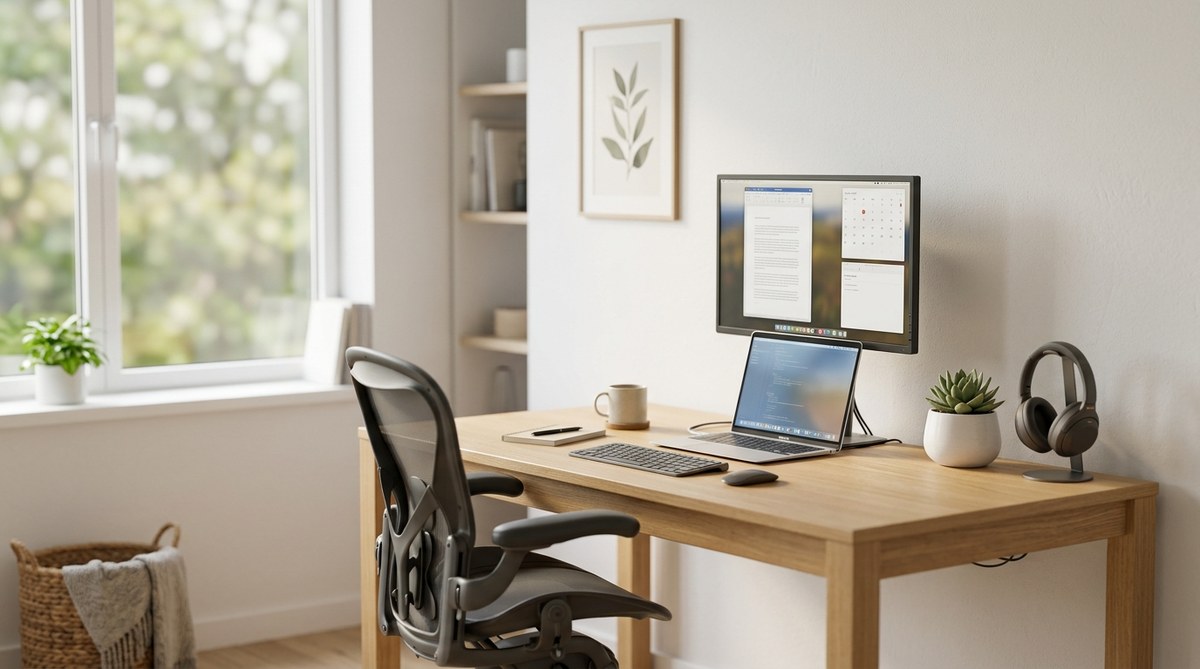
Creating a home office that helps you stay focused can feel like a challenge, especially with so many distractions around. From noisy neighbors to endless notifications, it’s easy to lose track of your tasks. But with intentional design and smart habits, you can craft a space that encourages concentration and productivity. In this guide, you’ll find straightforward strategies to transform your home workspace into a distraction-free zone that supports your best work.
Creating a distraction-free home office involves optimizing your physical space, managing digital interruptions, and establishing routines that support focus. Small changes can significantly improve your work quality and overall well-being in 2026.
Understanding What Makes a Home Office Distraction-Free
A distraction-free home office isn’t just about having a neat desk. It’s about creating an environment where external and internal interruptions are minimized. Distractions can be physical, digital, or mental. Recognizing these factors helps you craft a space tailored to your focus needs.
The Four Pillars of a Distraction-Free Workspace
- Physical Environment: A quiet, organized space with minimal visual clutter.
- Digital Discipline: Managing notifications and limiting digital interruptions.
- Routine and Boundaries: Setting clear work hours and boundaries with family.
- Mental Focus: Cultivating habits and mindset that promote concentration.
Why Home Offices Present Unique Challenges
Unlike traditional offices, home setups often blend personal and professional spaces. This blend makes it harder to switch into work mode. Household noises, family members, and household chores can pull your attention away. Understanding these challenges helps you develop targeted strategies to overcome them.
Optimising Your Physical Environment for Focus
Creating a physical environment that supports concentration is the first step. This involves choosing the right location, reducing clutter, and controlling noise.
Choosing and Positioning Your Workspace
Select a dedicated space away from high-traffic areas like the kitchen or living room. Position your desk near natural light to boost alertness and mood. A window offers calming views and reduces eye strain. Keep your workspace separate from personal zones to make it easier to switch into work mode.
Minimising Visual and Physical Clutter
A cluttered desk can cause mental clutter. Regularly clear non-essential items and organize cables with clips or sleeves. Use storage boxes to keep supplies out of sight. Consider a minimalist setup where only the essentials are visible.
Managing Noise and Acoustic Distractions
Noise can be a major interrupter. Use noise-canceling headphones during focus periods. Adding sound-absorbing panels or thick curtains can dampen household or street noise. Creating a visual “do not disturb” signal with a sign or light helps family members know when you shouldn’t be interrupted.
Quick Wins for Immediate Impact
- Position your desk near a window for natural light.
- Keep your workspace tidy at the end of each day.
- Use a dedicated chair with good ergonomic support.
- Incorporate a plant or two to improve air quality and mental clarity.
Taming Digital Distractions
Digital interruptions are pervasive. Managing notifications and setting boundaries on device use are essential.
Managing Notifications and Interruptions
Turn off non-essential notifications on your computer and phone. Use focus modes or do not disturb settings during deep work sessions. Batch notifications to check emails or messages at designated times.
Disabling Non-Essential App Alerts
Identify apps that frequently interrupt your workflow. Disable alerts on social media, news apps, and messaging platforms unless they are work-related. This reduces the temptation to check updates constantly.
Setting Up Focus Schedules
Schedule specific blocks of time for focused work. During these periods, disable notifications and close unrelated tabs or apps. Use calendar alerts to remind yourself to start and end focus sessions.
Email and Messaging Strategies
Limit email checking to two or three times a day. Let colleagues know your availability. Use templates for quick responses to streamline communication and prevent constant email interruptions.
During Focus Time
- Turn off visual alerts like flashing icons.
- Use music or ambient sounds if they help you concentrate.
- Keep your phone out of reach or in “do not disturb” mode.
“The key to digital discipline is setting clear boundaries and sticking to them. Your focus is a limited resource that needs protection.” – Productivity Expert Jane Doe
Using Technology to Support Focus
Leverage tools designed for productivity. Features like Windows Focus Assist or Mac’s Do Not Disturb can help create dedicated focus periods. Virtual desktops can separate work tasks from personal browsing.
Focus Features and Productivity Tools
- Enable focus modes on your operating system.
- Use website blockers to prevent access to distracting sites.
- Employ timers like Pomodoro to work in sprints with breaks.
Virtual Desktops for Task Separation
Create different desktops for specific tasks. For example, one for email and communication, another for research, and a separate one for creative work. Switching between desktops helps mentally compartmentalize tasks.
Establishing Routine and Boundaries
Creating a consistent routine signals your brain that it’s time to focus. Setting boundaries with family or housemates ensures you can work without frequent interruptions.
Setting Clear Work Hours
Define start and end times for your workday. Communicate these hours clearly to everyone at home. Stick to this schedule to develop a habit of focused work periods.
Creating a Pre-Work Ritual
Develop a routine that signals the start of your workday. It could be making coffee, tidying your desk, or a quick meditation. This helps transition into work mode.
Communicating Boundaries
Use visual cues like a closed door or a sign. Let household members know when you are not to be disturbed. Respect your own boundaries by resisting the urge to check work emails outside designated hours.
Breaks and Movement
Incorporate short breaks to stretch or walk. Regular movement improves focus and reduces fatigue. Use timers to remind yourself to step away from your desk.
Embracing a Focused Mindset
Habits and mindset play a crucial role. Practice mindfulness and self-awareness to recognize when your attention drifts. Cultivating patience and discipline makes it easier to maintain a distraction-free environment.
Tips for Staying Mentally Focused
- Start each day with a prioritized to-do list.
- Use visual cues to remind yourself of focus goals.
- Practice breathing exercises during breaks to reset your mind.
Building a Distraction-Free Habit
Focus on one task at a time. Avoid multitasking, which dilutes concentration. Celebrate small wins to reinforce your focus habits.
Comparing Techniques and Common Mistakes
| Technique | Common Mistake |
|---|---|
| Dedicated workspace | Working in a shared space with distractions |
| Turning off notifications | Leaving alerts enabled during deep work |
| Scheduled focus blocks | Checking email or social media during these times |
| Clear boundaries with household members | Assuming they know your work hours without communication |
| Regular decluttering | Letting clutter accumulate over time |
Final Tips for a Productive Home Office
- Start with one change at a time. Small adjustments are easier to maintain.
- Regularly evaluate your environment and routines.
- Be flexible and adapt as your work or home life evolves.
- Remember that creating a distraction-free space is an ongoing process.
Creating Your Focused Workspace in 2026
Designing a home office that supports your concentration involves thoughtful planning and discipline. Each step, from physical setup to digital management, contributes to a productive environment. Building routines that reinforce boundaries and focus habits ensures your workspace remains a sanctuary for your best work.
Making these adjustments doesn’t have to happen all at once. Begin with one or two improvements, and gradually refine your setup. Over time, you’ll find yourself working more efficiently and feeling less stressed. A distraction-free home office is within reach, and it can make a meaningful difference in your professional and personal life.
Remember, the key to success is consistency. Small, intentional changes will help you create a space where focus thrives and productivity soars in 2026.
