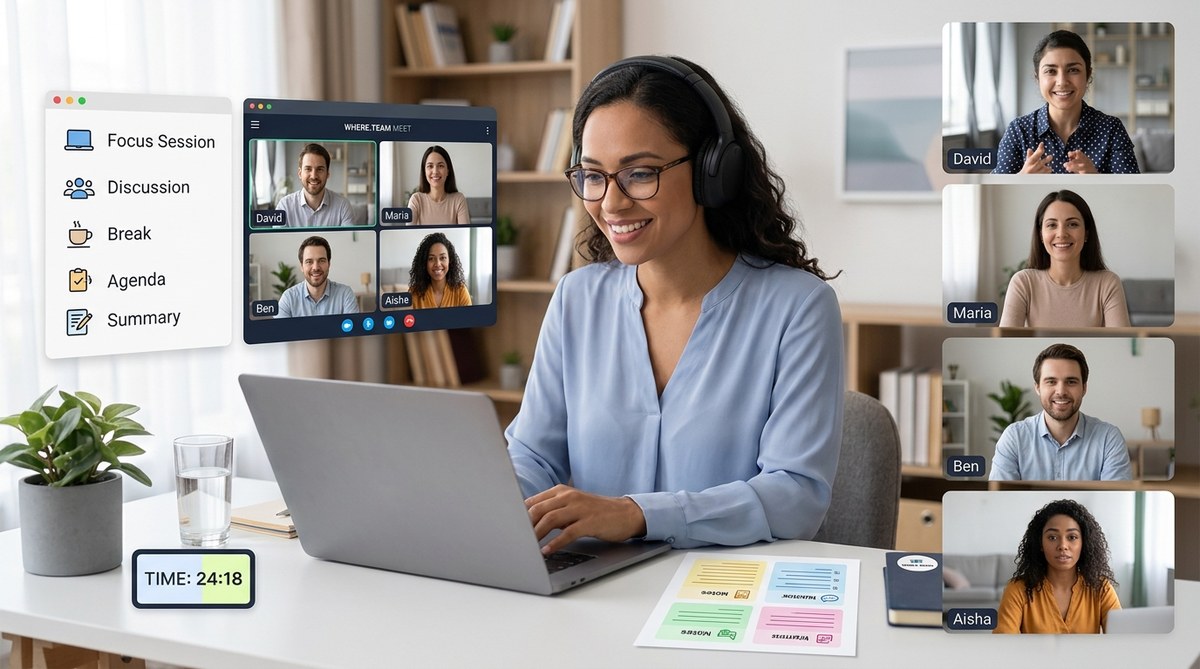
Remote meetings can be a nightmare for neurodivergent employees. The constant video calls, rapid turn-taking, and sensory overload often lead to disengagement and burnout. But with a few intentional changes, you can design remote meetings that actually support every brain type on your team.
Neurodivergent team members often struggle with traditional remote meetings due to sensory overload, processing differences, and social pressure. By redesigning meetings with clear agendas, asynchronous options, flexible participation, and predictable structures, you can reduce cognitive load and foster inclusion. This guide offers actionable steps for HR professionals, DEI managers, and facilitators to design remote meetings that honor neurodiversity and improve outcomes for all team members.
Understanding Neurodiversity in Remote Meetings
Neurodiversity covers a wide range of cognitive variations: autism, ADHD, dyslexia, dyspraxia, and more. Each person experiences the remote meeting environment differently. For someone with ADHD, a 60-minute slideshow feels like torture. For an autistic colleague, background noise and unpredictable turn-taking can cause real distress. And for a person with anxiety, the pressure to stay on camera and contribute spontaneously can drain all their energy before the meeting even ends.
When you design remote meetings for neurodiverse teams, you are not creating a separate experience. You are building a meeting culture that works better for everyone. The principles of clarity, predictability, and flexibility benefit all participants, not just those who identify as neurodivergent.
Key Principles for Inclusive Meeting Design
- Predictability over surprise. Send agendas and materials well in advance. Use recurring meeting templates so people know what to expect.
- Choice over obligation. Offer multiple ways to participate: chat, voice, asynchronous comments. Never force cameras on.
- Pacing over overload. Keep meetings short. Include breaks. Avoid back-to-back sessions.
- Clarity over ambiguity. Write down decisions, action items, and next steps. Use simple language.
- Sensory safety. Reduce visual clutter, avoid sudden loud noises, and allow participants to control their own environment.
7 Steps to Design Remote Meetings for Neurodiverse Teams
Follow this numbered process to transform your next virtual gathering.
-
Send a detailed agenda at least 48 hours before. Include the purpose, expected outcomes, and a rough timeline. Attach any pre-read materials so people can process information at their own pace. This reduces anxiety and helps neurodivergent team members prepare mentally.
-
Decide on the meeting format in advance. Will it be a synchronous call, an async thread, or a hybrid? If a live meeting is necessary, limit it to 25 minutes for standups and 45 minutes for deeper discussions. Anything longer demands a scheduled break.
-
Set clear participation norms upfront. At the start, explain how people can contribute. For example: “We will use the chat for questions, and I will call on raised hands. No one is required to turn on their camera. If you need to step away, just do it silently.” This removes guesswork.
-
Use a visual timer and agenda on screen. Keep a shared document visible that shows the current topic and remaining time. This helps people with ADHD stay oriented and reduces the feeling of being lost in the conversation.
-
Incorporate silent thinking time. After posing a question, wait at least 10 seconds before calling on anyone. Better yet, ask people to type their thoughts in the chat first. This gives slower processors and those who prefer writing a fair chance to contribute.
-
Record the meeting and share notes. Not everyone can absorb information in real time. Provide a recording and a written summary with key decisions. This is especially helpful for dyslexic team members who may prefer listening later, or for anyone who needs to revisit details.
-
Gather feedback after every meeting. Use a simple anonymous form asking: “What helped you participate? What made it harder?” Iterate based on the data. This shows your team that you are serious about inclusion.
Common Mistakes That Exclude Neurodivergent Participants
- Forcing cameras on without consent
- Using unannounced breakout rooms
- Expecting immediate verbal responses
- Crowding the agenda with too many topics
- Not sharing materials until the meeting starts
- Ignoring the chat while speaking
- Running overtime regularly
Inclusive vs. Exclusive Meeting Practices
| Inclusive Practice | Why It Helps | Exclusive Practice | Why It Hurts |
|---|---|---|---|
| Share agenda ahead of time | Reduces processing anxiety | Agenda kept secret until meeting | Spikes cortisol, lowers engagement |
| Offer chat-based participation | Supports nonverbal and slow processors | Only allow voice contributions | Excludes those who need time to formulate |
| Include a clear schedule with breaks | Prevents mental fatigue | No breaks in 90-minute blocks | Causes burnout, especially for ADHD |
| Use plain language and avoid jargon | Lowers cognitive load | Heavy use of acronyms and inside jokes | Alienates new or neurodivergent members |
| Record and transcribe | Enables review later | No recording allowed | Punishes those with memory or attention differences |
Expert Advice on Making Space for Quiet Voices
“When you design for the edges, you win in the middle. Neurodivergent employees often have the most brilliant insights, but they need the right conditions to share them. Start by normalizing asynchronous input, and you will see participation soar.”
— Dr. Maeve Higgins, workplace inclusion researcher
Tools and Follow-Up That Support Neurodiversity
The technology you choose matters just as much as the meeting design. Use a platform that allows participants to hide self-view, turn off notifications, and adjust audio settings independently. Tools like Otter for transcription, Notion for shared agendas, and asynchronous video tools like Loom can make a huge difference.
If you are looking for more ideas on reducing meeting fatigue, check out our guide on why your remote meetings feel exhausting. And if you are debating the camera-on rule, read our balanced take on whether to require cameras in remote meetings.
After the meeting, send the recording, notes, and action items within one hour. This shows respect for everyone’s time and helps people who process information slowly stay in the loop.
Building a Lasting Meeting Culture for Neurodiverse Teams
One meeting redesign is a good start. But real change happens when you embed these practices into your entire meeting culture. Train your facilitators, update your team norms, and make inclusion a recurring conversation.
Start small. Pick one upcoming meeting and apply steps 1, 3, and 5 from the list above. See how it feels. Ask for feedback. Then adjust. Over time, you will naturally design remote meetings for neurodiverse teams that energize rather than exhaust.
Your team deserves a space where every brain can do its best work. You have the power to build that space, one meeting at a time.
