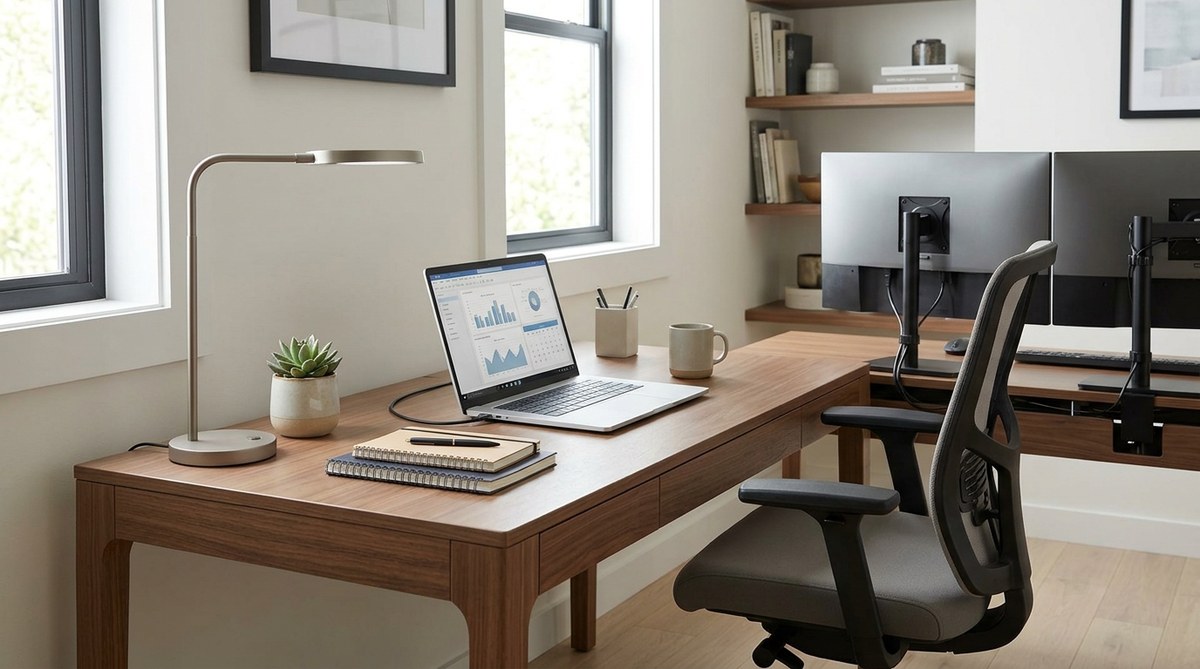
Starting your workday in a home office can be both a blessing and a challenge. Without the structure of a traditional office, staying motivated and organized requires intentional effort. Fortunately, small adjustments can lead to significant improvements in your productivity. Creating a dedicated, well-organized space and implementing smart routines can help you work more efficiently and enjoy your home setup.
Optimizing your home workspace with simple, practical home office productivity tips can significantly boost your focus, reduce distractions, and make remote work more enjoyable and effective. Small changes in organization, ergonomics, and routines can lead to big results in your daily performance.
Establish a Clear and Organized Workspace
The foundation of home office productivity begins with your environment. A cluttered space can cause mental fatigue and distract from your tasks. Taking the time to set up a dedicated workspace helps your brain associate that area with focus and work.
Tips for a clutter-free zone
- Keep only what you need within arm’s reach.
- Use storage solutions to tidy cables, papers, and supplies.
- Designate specific zones for different tasks, such as meetings or deep work.
- Regularly declutter to maintain an organized space.
The right furniture and setup
Invest in an ergonomic chair and desk that promote good posture. This reduces fatigue and discomfort, allowing you to work longer without physical strain. Position your desk near natural light if possible, which can improve mood and alertness.
Maximize Focus With Smart Routines
A consistent routine helps your mind switch into work mode and keeps distractions at bay. Establishing specific start and end times for your workday creates healthy boundaries.
Practical steps to boost daily focus
- Create a morning ritual: A quick walk, coffee, or meditation can signal the start of your workday.
- Plan your day in advance: Use a planner or digital task list to prioritize tasks.
- Set specific work hours: Stick to these hours to maintain work-life balance.
- Break tasks into chunks: Focus on one task at a time to prevent feeling overwhelmed.
- Schedule regular breaks: Short pauses refresh your mind and prevent burnout.
Techniques to stay disciplined
- Use timers like Pomodoro (25-minute work, 5-minute break) to maintain focus.
- Limit social media and personal emails during work hours.
- Use a dedicated workspace to mentally separate work from leisure.
| Technique | Common Mistake |
|---|---|
| Using a timer to stay focused | Working through breaks, leading to fatigue |
| Setting boundaries around work hours | Checking emails outside designated times |
| Keeping work and personal spaces separate | Trying to work in bed or couch |
Optimize Your Digital Environment
Your digital tools can either help or hinder productivity. Keeping your virtual workspace streamlined ensures you spend less time searching for files or dealing with interruptions.
Effective digital habits
- Organize files into clearly labeled folders.
- Use productivity apps like task managers to keep track of deadlines.
- Limit notifications during focused work periods.
- Schedule specific times to check emails and messages.
Meeting smarter
Remote meetings are essential but can become draining if not managed well. To keep them productive:
- Prepare an agenda beforehand.
- Keep meetings concise, ideally under 30 minutes.
- Use visual aids to maintain engagement.
- Record meetings for those who can’t attend and revisit key points later.
“Effective remote meetings require clear purpose and discipline. Always respect participants’ time by sticking to agendas and scheduled durations.” — Remote work expert
Create a Distraction-Free Zone
Distractions at home are plentiful, from household chores to family interruptions. Establishing a distraction-free environment helps you maintain focus.
Strategies to minimize interruptions
- Communicate your work hours to family or roommates.
- Use noise-canceling headphones during deep work sessions.
- Turn off non-essential notifications.
- Consider soundproofing or white noise machines if noise is persistent.
Additional tips
- Use visual cues like a closed door or a sign to indicate focus time.
- Schedule meetings and calls during specific blocks to avoid constant disruptions.
- Keep your workspace tidy to prevent visual clutter from distracting you.
| Technique | Common Mistake |
|---|---|
| Using noise-canceling headphones | Not communicating your work hours clearly |
| Setting specific ‘do not disturb’ times | Ignoring household interruptions |
| Keeping a tidy workspace | Allowing clutter to accumulate |
Leverage Technology to Stay on Track
Tech tools tailored for remote work can streamline your tasks and keep you accountable.
Recommended productivity tools
- Task management apps like Todoist or Asana help prioritize and track projects.
- Calendar apps to block dedicated work periods and meetings.
- Focus apps such as Forest or Freedom to limit distractions.
- Video conferencing tools that offer high-quality visuals and audio, like Zoom or Microsoft Teams.
Tips for tech success
- Sync your calendar with your task list.
- Use shared documents for collaboration.
- Automate routine tasks with integrations or templates.
- Regularly review and update your digital workflows to stay efficient.
Make Time for Wellness and Self-Care
A productive home office is not just about work. Incorporating wellness routines keeps your energy high and your mind clear.
Wellness ideas for remote workers
- Take short stretching or walking breaks every hour.
- Practice deep breathing or mindfulness exercises.
- Stay hydrated and maintain a balanced diet.
- Incorporate physical activity into your day, even if it’s a quick workout or yoga session.
Create a relaxing environment
- Use calming colors or decor in your workspace.
- Play soft background music if it helps you focus.
- Keep your space well-ventilated and comfortable.
Common Mistakes to Avoid in a Home Office
| Technique | Mistake |
|---|---|
| Overloading your desk with gadgets | Creating clutter that distracts from work |
| Working in pajamas all day | Losing the boundary between work and leisure |
| Ignoring ergonomic setup | Leading to discomfort and long-term health issues |
| Not scheduling breaks | Burnout and decreased productivity |
| Multitasking during meetings | Reduced focus and missed details |
Unlock Your Home Office Potential
Transforming your home workspace into a hub of productivity involves thoughtful planning and consistent habits. Small adjustments can make a big impact on how you work and how much you get done. Remember to focus on creating a comfortable, organized environment, establish clear routines, and use the right tools to keep you on track.
Final thoughts
Taking control of your home office setup empowers you to work smarter and feel more satisfied with your remote work experience. Experiment with different arrangements and routines until you find what suits you best. Your workspace should inspire you to perform at your best every day.
