Managing a team that stretches from San Francisco to Berlin to Tokyo is a special kind of challenge. You try to schedule a meeting, and inevitably someone ends up logging on at 2 AM or missing it entirely. The fix isn’t more meetings. It’s better async project management strategies.
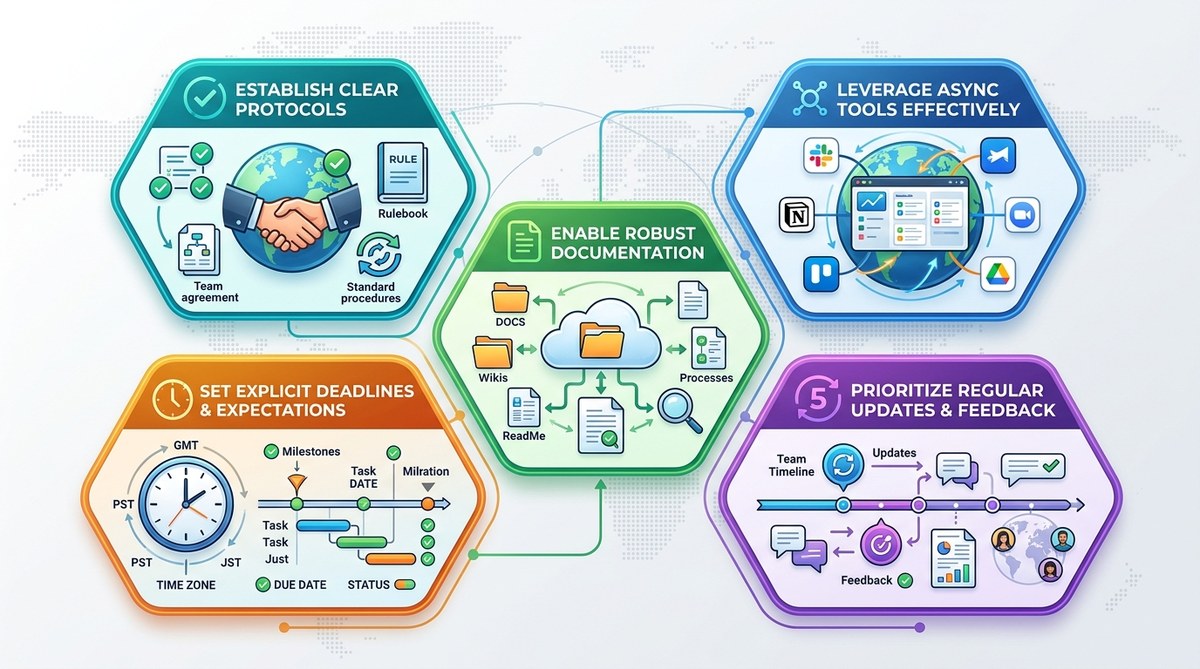
Async work doesn’t mean you never talk. It means you build systems that let everyone contribute when they’re at their best, no matter where the clock sits. Here are five strategies that actually work for distributed teams in 2026.
Async project management keeps distributed teams productive by replacing real-time meetings with documented decisions, async standups, clear handoffs, video messages, and weekly pulse checks. These five strategies reduce meeting fatigue, respect time zones, and create a single source of truth. Implement them gradually to build a culture of clarity and autonomy.
Why Async Project Management Matters More Than Ever
In 2026, the average remote worker spends 10 hours a week in meetings. That’s a full workday lost to calls that could have been an email, a document, or a short video. The problem gets worse when your team spans six time zones. Your 10 AM standup is someone’s 7 PM dinner and someone else’s 4 AM dream sequence.
Async methods flip the script. Instead of gathering everyone in the same digital room at the same time, you create structured workflows where information flows on its own schedule. The result is deeper focus, less context switching, and fewer calendar invites that nobody wants.
Strategy 1: Document Decisions with a Single Source of Truth
The biggest productivity drain for async teams is the “where did we decide that?” loop. Someone makes a call in a Slack thread, another person misses it, and a week later you’re having the same conversation again.
The fix: pick one tool for all decision documentation. It could be a wiki, a shared Google Doc, or a project management board with a dedicated “Decisions” column. Every time a choice is made, write it down with the date, the people involved, and the rationale. Then pin that link in your team channel.
This is the foundation of async project management strategies. Without it, you’re just hoping people remember. And they won’t.
Strategy 2: Use Async Standups to Replace the Morning Huddle
The daily standup meeting was designed for co-located teams standing around a whiteboard. For distributed teams, it often becomes a 30-minute call where three people update their status and everyone else zones out.
Instead, move to async standups. Here’s a simple structure you can start today:
- Each team member posts three things in a shared channel (Slack, Teams, Basecamp, whatever you use):
- What I accomplished yesterday
- What I’m working on today
- One blocker or question I need input on
- Set a daily deadline. For global teams, make it 12 PM local time so late risers and early birds can all participate.
- Everyone reads the updates before starting their own workday.
- Managers scan for blockers and address them in a separate thread or a short one-on-one.
This single shift can cut meeting time by 30 to 60 minutes per week per person. For a team of ten, that’s ten hours reclaimed every week.
If you want a deeper breakdown of the process, check out our guide on how to run effective async standup meetings when your team never overlaps.
Strategy 3: Set Clear Deadlines with Explicit Handoff Protocols
Async works great until a task sits untouched for three days because nobody knew who was supposed to pick it up next. The solution is to make handoffs as explicit as a relay race.
For every task that involves multiple people, include:
– Owner: one person responsible for completing it
– Reviewer: the person who needs to approve it
– Due date: not just a day, but a time zone. Use “EOD PDT” or “12:00 UTC.”
– Drop-dead date: when the task becomes blocked if no action is taken
Use a project management tool that supports custom fields or a simple checklist. The key is to remove ambiguity. If someone completes their part, they tag the next person in a comment with a clear ask: “Ready for you to review the wireframes. Please approve or comment by Friday 5 PM Eastern.”
“Teams that explicitly assign ownership reduce task completion time by 40% compared to those that rely on shared responsibility,” says leadership coach Priya Kalan. “When everyone knows who’s holding the baton, the race runs much faster.”
Strategy 4: Leverage Video Messages for Complex Explanations
Typing out a detailed explanation of a new feature, a design direction, or a technical requirement can take 20 minutes. Recording a three-minute video takes three minutes. And it conveys tone, context, and body language that text can’t match.
Tools like Loom, Grain, or the built-in recorder in your project management app let you capture your screen and face at the same time. Use them for:
– Walkthroughs of new processes
– Design feedback with visual annotations
– Weekly summaries from the product or engineering lead
– Impromptu brain dumps that would otherwise be long Slack messages
One warning: keep videos under five minutes. If you need more time, break it into two parts. Nobody wants to watch a 12-minute monologue on a Tuesday morning.
For more ideas on how to use this technique, read our article on how to use asynchronous video messages to boost remote team productivity.
Strategy 5: Create a Weekly Async Pulse Check
Communication can drift without a regular rhythm. The async pulse check replaces the weekly team meeting with a lightweight document or form that everyone fills out by Thursday afternoon.
Include these questions:
– What’s one thing you accomplished this week that you’re proud of?
– What’s your biggest blocker right now?
– On a scale of 1 to 5, how clear are you on our team’s priorities for next week?
– Is there anything you need from another team member?
The manager reads the responses over the weekend and sends a brief video or text summary on Monday morning. This gives everyone a sense of where the team stands without forcing them into a 9 AM Friday call.
When to Insist on a Synchronous Meeting (And When to Skip It)
Not every conversation should be async. Some things still need real time. But many teams default to meetings when async would serve better.
Use this table as a decision guide:
| Situation | Best Approach | Why |
|---|---|---|
| Brainstorming a new feature | Async first (shared doc, video) | Gives introverts time to think |
| Resolving a critical bug | Synchronous call | Speed of back-and-forth matters |
| Giving quarterly performance feedback | Async written + sync follow-up | Thoughtful feedback needs prep |
| Casual team check-in | Async pulse check or weekly video | Preserves focus time |
| Planning a complex sprint | Async pre-read + short sync sync | Everyone arrives prepared |
| Celebrating a team win | Async shoutout in channel | Spreads joy without a calendar invite |
The rule of thumb: if it doesn’t need an immediate decision, it can be async. Try it for one week and see how much time you save.
Your Async Project Management Cheat Sheet
Here’s a quick list of things you can start doing right now:
- Stop scheduling daily standup calls. Switch to text or video updates.
- Create a “Decisions Log” in your project management tool.
- Add a custom field for “Time Zone” to every task assignee.
- Record a three-minute video summary of each sprint instead of typing a long email.
- Send a weekly pulse check form every Thursday.
- Block off two hours of “focus time” on your calendar every day. Don’t schedule any meetings during that block.
If you want to go deeper, check out our guide on from chaos to clarity: setting up async workflows for teams across 12+ time zones.
Building Trust Through Asynchronous Clarity
The real magic of async project management strategies isn’t about productivity hacks. It’s about trust. When you document decisions, set clear handoffs, and use video for nuance, you give your team permission to work autonomously. They don’t need to wait for a meeting to get unstuck. They don’t need to ask permission for every step. They just need the right system.
Start with one strategy this week. Maybe it’s the async standup. Or the decisions log. Pick something small, try it for five days, and see how your team responds. You might find that the silence isn’t empty. It’s full of focused work.
And if you ever need a physical space to bring your distributed team together for a quarterly sync, we’ve got recommendations for how to choose the perfect coworking space for your remote team’s quarterly meetup. But for the other 90% of your year, async is the way.
